Hi Sandeep,
If you are using Eclipse plugin, here are the simple steps...
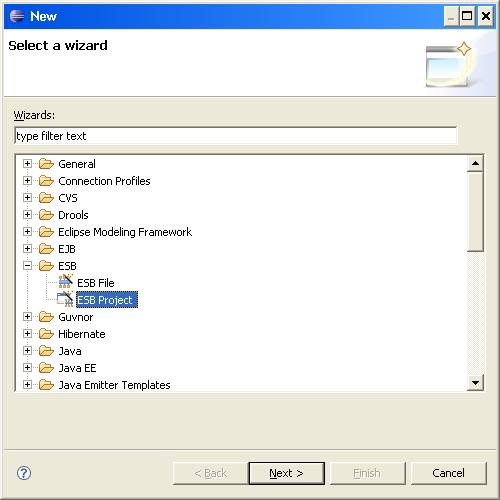
1)Create a New ESB Project
File >> New >> Others >> ESB
http://community.jboss.org/servlet/JiveServlet/downloadImage/2-567804-10508/450-450/1.jpg
Give an appropriate name to the project. Provide the Target Runtime and JBossESB Runtime.
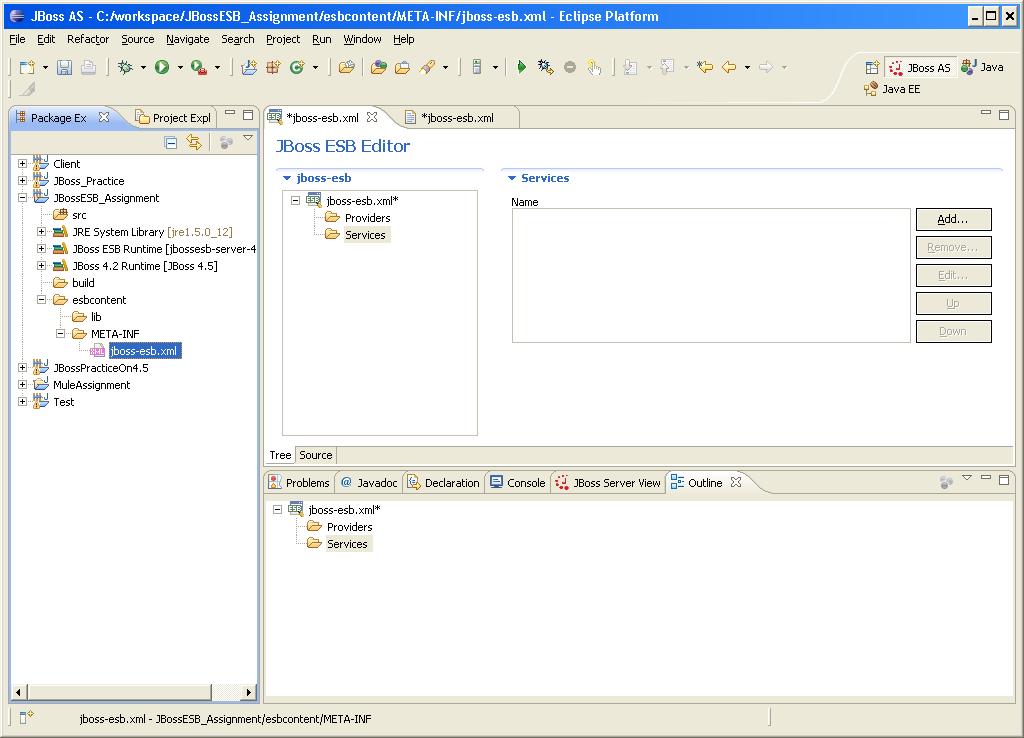
2) You will see the designer UI.
http://community.jboss.org/servlet/JiveServlet/downloadImage/2-567804-10509/450-323/6.jpg
3) Let's build a simple JMS Provider for this example.
- Click on Add >> JMS Provider
- Put the Name, Connection Factory and Channel ID. (This channel ID will be used later to listen to this provider)
- Specify the Filter with Destination Name and Type ('Queue' in this case)
4) Now, let's add a new Service to the ESB
Provide the Name and category for the Service.
- Add a JMS Listener to the Service.
- Provide a Name to this Listener. Also give the Channel ID used for the Provider.
- Now, you can add a list of Actions to this Service. (Action Pipeline)
- Let's create a custom java class file for this purpose. You can also use one of the many inbuilt classes.
package myPack;
import java.io.BufferedReader;
import java.io.InputStreamReader;
import java.io.IOException;
import org.jboss.soa.esb.actions.AbstractActionPipelineProcessor;
import org.jboss.soa.esb.actions.ActionProcessingException;
import org.jboss.soa.esb.helpers.ConfigTree;
import org.jboss.soa.esb.message.Message;
public class ServiceClass extends AbstractActionPipelineProcessor {
private String info;
public ServiceClass (ConfigTree config) {}
public Message process(Message m) throws ActionProcessingException {
System.out.println("Enter your name:");
try{
BufferedReader br = new BufferedReader (new InputStreamReader(System.in));
info = br.readLine();
}
catch (Exception e) {
System.out.println("Error: " +e.toString());
}
System.out.println("Hello " +info);
return null;
}
}
Provide these Name and Class (myPack.ServiceClass in the above example) to the Action in the Service
5) Now create a deployment.xml file in jboss-esb's folder.
<?xml version="1.0" encoding="UTF-8"?>
<jbossesb-deployment>
<depends>jboss.esb:deployment=jbossesb.esb</depends>
</jbossesb-deployment>
6) Also, you will need to create the Queue. You can directly create a jbm-queue-service.xml in your esbcontent.
<?xml version="1.0" encoding="UTF-8"?>
<server>
<mbean code="org.jboss.jms.server.destination.QueueService" name="jboss.esb.destination:service=Queue,name=One" xmbean-dd="xmdesc/Queue-xmbean.xml">
<depends optional-attribute-name="ServerPeer">jboss.messaging:service=ServerPeer
</depends>
</mbean>
</server>
THAT'S IT !! :)
Your first ESB Project is ready !!