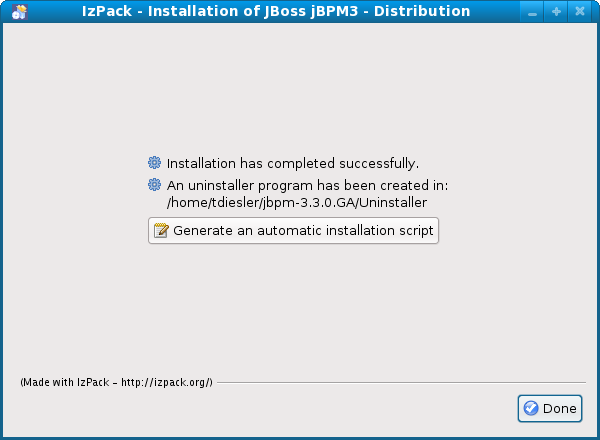
jBPM uses the IzPack installer for deployment on supported target containers.
Build the Installer
The default settings for supported databases and containers are provided in a Maven profile descriptor. To setup the profile you can either copy the profiles.example.xml provided in the project base directory to profiles.xml and edit it the properties accordingly. Alternatively, you can define this profile in your settings.xml file.
<?xml version="1.0"?>
<profilesXml xmlns="http://maven.apache.org/PROFILES/1.0.0"
xmlns:xsi="http://www.w3.org/2001/XMLSchema-instance"
xsi:schemaLocation="http://maven.apache.org/PROFILES/1.0.0 http://maven.apache.org/xsd/profiles-1.0.0.xsd">
<profiles>
<profile>
<id>dev-local</id>
<properties>
<jdbc.db2.server>localhost</jdbc.db2.server>
<jdbc.db2.port>50000</jdbc.db2.port>
<jdbc.db2.database>jbpm3</jdbc.db2.database>
<jdbc.db2.url>jdbc:db2://${jdbc.db2.server}:${jdbc.db2.port}/${jdbc.db2.database}</jdbc.db2.url>
<jdbc.db2.username>jbpm3</jdbc.db2.username>
<jdbc.db2.password>jbpm3</jdbc.db2.password>
<jdbc.db2.driver>com.ibm.db2.jcc.DB2Driver</jdbc.db2.driver>
<jdbc.mssql.server>dev30.qa.atl.jboss.com</jdbc.mssql.server>
<jdbc.mssql.port>3918</jdbc.mssql.port>
<jdbc.mssql.database>jbpm</jdbc.mssql.database>
<jdbc.mssql.url>jdbc:sqlserver://${jdbc.mssql.server}:${jdbc.mssql.port};databaseName=${jdbc.mssql.database}</jdbc.mssql.url>
<jdbc.mssql.username>jbpm</jdbc.mssql.username>
<jdbc.mssql.password>jbpm</jdbc.mssql.password>
<jdbc.mssql.driver>com.microsoft.sqlserver.jdbc.SQLServerDriver</jdbc.mssql.driver>
<jdbc.mysql.server>localhost</jdbc.mysql.server>
<jdbc.mysql.port>3306</jdbc.mysql.port>
<jdbc.mysql.database>jbpm3</jdbc.mysql.database>
<jdbc.mysql.url>jdbc:mysql://${jdbc.mysql.server}:${jdbc.mysql.port}/${jdbc.mysql.database}</jdbc.mysql.url>
<jdbc.mysql.username>jbpm3</jdbc.mysql.username>
<jdbc.mysql.password>jbpm3</jdbc.mysql.password>
<jdbc.mysql.driver>com.mysql.jdbc.Driver</jdbc.mysql.driver>
<jdbc.oracle.server>localhost</jdbc.oracle.server>
<jdbc.oracle.port>1521</jdbc.oracle.port>
<jdbc.oracle.database>XE</jdbc.oracle.database>
<jdbc.oracle.url>jdbc:oracle:thin:@${jdbc.oracle.server}:${jdbc.oracle.port}:${jdbc.oracle.database}</jdbc.oracle.url>
<jdbc.oracle.username>jbpm3</jdbc.oracle.username>
<jdbc.oracle.password>jbpm3</jdbc.oracle.password>
<jdbc.oracle.driver>oracle.jdbc.driver.OracleDriver</jdbc.oracle.driver>
<jdbc.postgresql.server>localhost</jdbc.postgresql.server>
<jdbc.postgresql.port>5432</jdbc.postgresql.port>
<jdbc.postgresql.database>jbpm3</jdbc.postgresql.database>
<jdbc.postgresql.url>jdbc:postgresql://${jdbc.postgresql.server}:${jdbc.postgresql.port}/${jdbc.postgresql.database}</jdbc.postgresql.url>
<jdbc.postgresql.username>jbpm3</jdbc.postgresql.username>
<jdbc.postgresql.password>jbpm3</jdbc.postgresql.password>
<jdbc.postgresql.driver>org.postgresql.Driver</jdbc.postgresql.driver>
<jdbc.sybase.server>localhost</jdbc.sybase.server>
<jdbc.sybase.port>5000</jdbc.sybase.port>
<jdbc.sybase.database>jbpm3</jdbc.sybase.database>
<jdbc.sybase.url>jdbc:sybase:Tds:${jdbc.sybase.server}:${jdbc.sybase.port}/${jdbc.sybase.database}</jdbc.sybase.url>
<jdbc.sybase.username>jbpm3</jdbc.sybase.username>
<jdbc.sybase.password>jbpm3jbpm3</jdbc.sybase.password>
<jdbc.sybase.driver>com.sybase.jdbc3.jdbc.SybDriver</jdbc.sybase.driver>
<jdbc.sybase.datasource>com.sybase.jdbc3.jdbc.SybXADataSource</jdbc.sybase.datasource>
<jboss405.home>$USER_HOME/jboss-4.0.5.GA</jboss405.home>
<jboss423.home>$USER_HOME/jboss-4.2.3.GA</jboss423.home>
<jboss501.home>$USER_HOME/jboss-5.0.1.GA</jboss501.home>
<jboss510.home>$USER_HOME/jboss-5.1.0.GA</jboss510.home>
<jboss.server>all</jboss.server>
<jbpm.home>$USER_HOME/jbpm-${project.version}</jbpm.home>
</properties>
</profile>
</profiles>
<activeProfiles>
<activeProfile>dev-local</activeProfile>
</activeProfiles>
</profilesXml>
Once you have configured the properties, you can proceed to build the binary distribution.
[aguizar@siankaan jbpm-3.2-soa]$ mvn -Pdistro clean install
...
[INFO] Installing /home/aguizar/jbpm/jbpm3/branches/jbpm-3.2-soa/modules/distribution/target/jbpm-installer-3.2.10-SNAPSHOT.jar to /home/aguizar/.m2/repository/org/jbpm/jbpm3/jbpm-distribution/3.2.10-SNAPSHOT/jbpm-distribution-3.2.10-SNAPSHOT-installer.jar
[INFO] ------------------------------------------------------------------------
[INFO] Reactor Summary:
[INFO] ------------------------------------------------------------------------
[INFO] JBoss jBPM3 ........................................... SUCCESS [7.423s]
[INFO] JBoss jBPM3 - Core .................................... SUCCESS [45.132s]
[INFO] JBoss jBPM3 - Identity ................................ SUCCESS [6.501s]
[INFO] JBoss jBPM3 - Enterprise .............................. SUCCESS [8.366s]
[INFO] JBoss jBPM3 - Examples ................................ SUCCESS [3.152s]
[INFO] JBoss jBPM3 - Simulation .............................. SUCCESS [10.477s]
[INFO] JBoss jBPM3 - Database ................................ SUCCESS [17.333s]
[INFO] JBoss jBPM3 - Userguide ............................... SUCCESS [17.634s]
[INFO] JBoss jBPM3 - Distribution ............................ SUCCESS [24.497s]
[INFO] ------------------------------------------------------------------------
[INFO] BUILD SUCCESSFUL
[INFO] ------------------------------------------------------------------------
[INFO] Total time: 2 minutes 22 seconds
[INFO] Finished at: Thu Jul 29 11:07:44 CDT 2010
[INFO] Final Memory: 105M/194M
Run the Installer
To install jBPM, run the generated installer.
java -jar modules/distribution/target/jbpm-installer-3.2.10-SNAPSHOT.jar
Follow the instructions on the installer panels.
http://www.jboss.org/community/servlet/JiveServlet/downloadImage/1061/jBPMInstaller1.png
http://www.jboss.org/community/servlet/JiveServlet/downloadImage/1062/jBPMInstaller2.png
http://www.jboss.org/community/servlet/JiveServlet/downloadImage/1063/jBPMInstaller3.png
http://www.jboss.org/community/servlet/JiveServlet/downloadImage/1064/jBPMInstaller4.png
http://www.jboss.org/community/servlet/JiveServlet/downloadImage/1066/jBPMInstaller5.png
http://www.jboss.org/community/servlet/JiveServlet/downloadImage/1067/jBPMInstaller6.png
http://community.jboss.org/servlet/JiveServlet/downloadImage/102-12866-9-1068/450-330/jBPMInstaller7.png
Modifying the Installation Packs
Note: this information is outdated.
The installer build uses the maven-assembly-plugin to collect all the dependencies in the target/deploy-artifacts directory. This directory is the source of everything that gets distributed with the installer. If an artifact is not in target/deploy-artifacts it cannot go into the installer. Have a look at scripts/assembly-deploy-artifacts.xml for the assembly plugin descriptor.
The IzPack compiler is run from the maven-antrun-plugin. Have a look at scripts/antrun-installer.xml for details.
The install packs themselves are defined in resources/installer/install-definitions.xml. The standalone pack is quite intuitively defined like this.
<fileset dir="@{deploy.artifacts.dir}/src" targetdir="$INSTALL_PATH/jbpm3/src" override="true">
<include name="jbpm-core-sources.jar" />
<include name="jbpm-identity-sources.jar" />
</fileset>
</pack>