noon
Geoffrey,
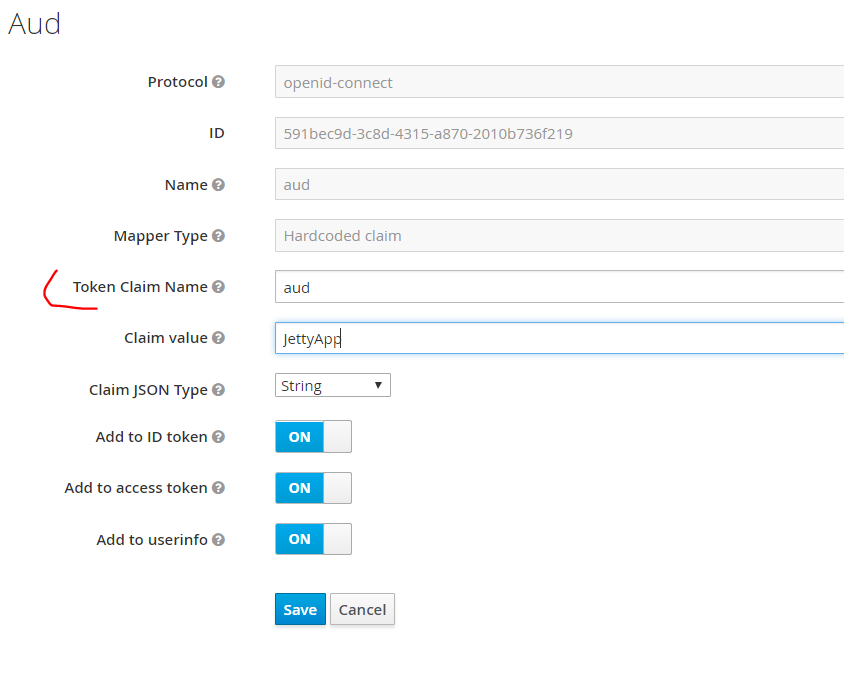
I was able to get the config right. I have received the aud:JettyApp in
generated token also, but I still get 401:Unauthorized for the backend app.
Anything else needs to be done?
Token (Partial):
"jti": "b7b07046-5417-40d6-9338-1851a0f5e1e5",
"exp": 1541292863,
"nbf": 0,
"iat": 1541264063,
"iss": "http://localhost:7200/auth/realms/MyRealm",
*"aud": "JettyApp",*
"sub": "c801fc43-e7d3-4229-869c-cef19d049389",
"typ": "Bearer",
"azp": "Webapps",
"nonce": "3ec36116-c8a3-482c-828e-6458ad179270",
"auth_time": 1541264063,
"session_state": "0b40b785-6956-4234-bcb5-96ff8fdcb822",
"acr": "1",
[image: image.png]
On Sat, Nov 3, 2018 at 10:11 PM Bruce Wings <testoauth55(a)gmail.com> wrote:
Thanks Geoffrey,
I believe this will solve my problem. However, I tried creating the
mapper, but maybe I missed something cause I am still getting 401 if I
login with front end.
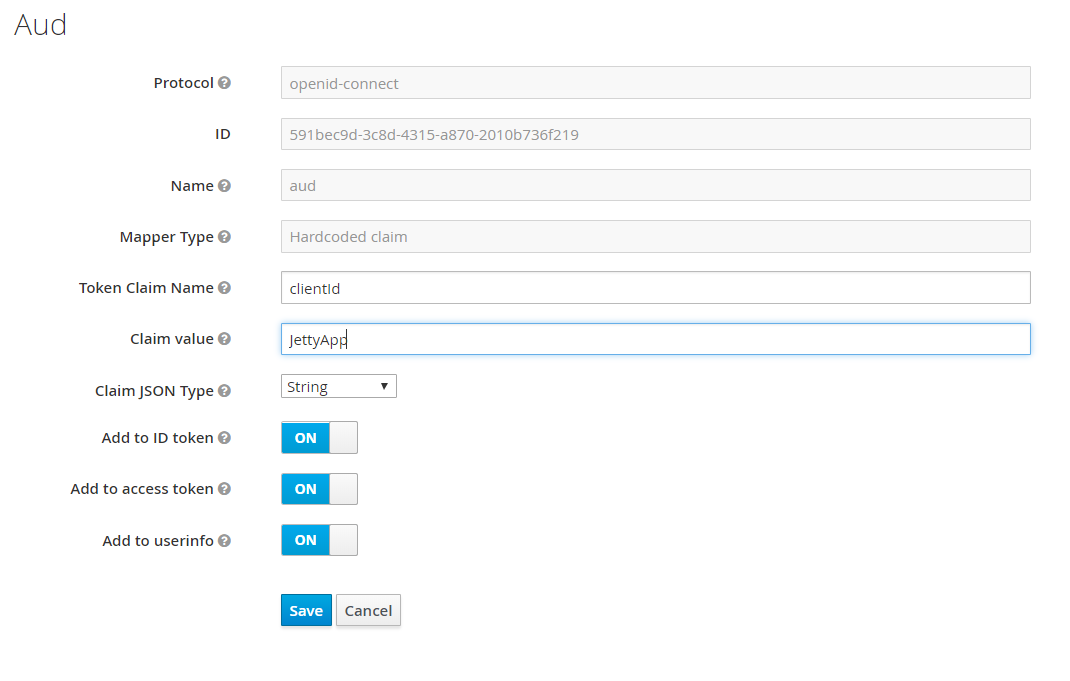
In the attached image, I have shared my config, can you give it a quick
look and confirm this is how it is supposed to be?
Name of my backend client in keycloak JettyApp:
I have created Token claim name as - clientId and value as JettyApp.
[image: image.png]
On Sat, Nov 3, 2018 at 1:36 PM Geoffrey Cleaves <geoff(a)opticks.io> wrote:
> Bruce, here's how I fixed the issue you're describing. I think it's a
> unfortunate omission in the docs (which are generally quite good). You need
> to include the backend client ID in the front end clients aud claim.
>
> https://bitbucket.org/snippets/gcleaves/5ebB58/sso-keycloak
>
> On Sat, Nov 3, 2018, 01:45 Bruce Wings <testoauth55(a)gmail.com wrote:
>
>> Thanks Eric for the reply.
>>
>> But If I use a separate public client for my angular app, I am not able
>> to
>> access my Rest Api with the generated token, that's why I had to use
>> confidential client Json that I used to secure my server. Any idea, what
>> is
>> the right approach in case of server client architecture?
>>
>> ( My project contains Rest Apis that I have secured with jetty adapter
>> and
>> confidential client ( as keycloak Authorization works only for
>> confidential
>> client and not public clients). My angular app is accessing these rest
>> api.
>> Therefore I used the same confidential client oidc Json in my angular app
>> too. )
>>
>>
>>
>> On Friday, November 2, 2018, Eric Boyd Ramirez <
>> eric.ramirez.sv(a)gmail.com>
>> wrote:
>>
>> > Hi Bruce,
>> > I am fairly new to Keycloak myself, so I am giving my opinion in hopes
>> > some else can double check.
>> > The JS adapter is designed to work with Public clients, siting on the
>> the
>> > client side, the idea is that the a user/person would have to enter
>> his/her
>> > credentials to in order to login.
>> >
>> > Confidential clients generate an installation JSON or XML configuration
>> > object which is meant to be installed on the server side/ Application
>> > server. The user accessing this application does not receive this
>> > configuration.
>> >
>> > Hope this helps.
>> >
>> > > On Nov 2, 2018, at 1:28 AM, Bruce Wings <testoauth55(a)gmail.com>
>> wrote:
>> > >
>> > > I am referring to Keycloak Javascript adapter as mentioned in :
>> > > https://www.keycloak.org/docs/4.5/securing_apps/index.html#_
>> > javascript_adapter
>> > >
>> > > I have a confidential client and I have downloaded keycloak-oidc.json
>> > > containing client secret. Now I am not sure how secure is it to keep
>> this
>> > > file containing client-secret at the client side.
>> > >
>> > > Am I being over concerned?
>> > > _______________________________________________
>> > > keycloak-user mailing list
>> > > keycloak-user(a)lists.jboss.org
>> > > https://lists.jboss.org/mailman/listinfo/keycloak-user
>> >
>> >
>> _______________________________________________
>> keycloak-user mailing list
>> keycloak-user(a)lists.jboss.org
>> https://lists.jboss.org/mailman/listinfo/keycloak-user
>>
>