[JBoss JIRA] (JBDS-4049) Cannot install Devstudio 10.1.0.GA into Eclipse Neon.1 RC3 (remediation required)
by Nick Boldt (JIRA)
[ https://issues.jboss.org/browse/JBDS-4049?page=com.atlassian.jira.plugin.... ]
Nick Boldt commented on JBDS-4049:
----------------------------------
[~akazakov] I mean we include org.eclipse.wst.jsdt.core 2.0.0.v201605251700 in devstudio 10.1.0.GA, but the version in Neon.1.RC3 is 2.0.0.v201608251059. It is newer because 08/25 is more recent than 05/25.
> Cannot install Devstudio 10.1.0.GA into Eclipse Neon.1 RC3 (remediation required)
> ---------------------------------------------------------------------------------
>
> Key: JBDS-4049
> URL: https://issues.jboss.org/browse/JBDS-4049
> Project: Red Hat JBoss Developer Studio (devstudio)
> Issue Type: Bug
> Components: jsp/jsf/xml/html-source-editing, target-platform, updatesite, upstream
> Affects Versions: 10.1.0.GA
> Reporter: Nick Boldt
> Assignee: Nick Boldt
> Fix For: 10.2.0.AM1
>
> Attachments: ds10.1_on_neon.1.RC3_remediation_needed.png
>
>
> Steps to repro:
> 1. Download eclipse-jee-neon-1-RC3-linux-gtk-x86_64.tar.gz, unpack and run
> 2. Help > Eclipse Marketplace... > Search for "jboss" and install Red Hat JBoss Developer Studio 10.1.0.GA
> 3. Remediation needed:
> {code}Cannot complete the install because of a conflicting dependency.
> Software being installed: Red Hat JBoss Developer Studio (Core Features) 10.1.0.v20160902-1725 (com.jboss.devstudio.core.feature.feature.group 10.1.0.v20160902-1725)
> Software currently installed: JavaScript Development Tools 2.0.0.v201608301904 (org.eclipse.wst.jsdt.feature.feature.group 2.0.0.v201608301904)
> Only one of the following can be installed at once:
> JavaScript Development Tools Core 2.0.0.v201603171403 (org.eclipse.wst.jsdt.core 2.0.0.v201603171403)
> JavaScript Development Tools Core 1.3.401.v201511181529 (org.eclipse.wst.jsdt.core 1.3.401.v201511181529)
> JavaScript Development Tools Core 2.0.0.v201608251059 (org.eclipse.wst.jsdt.core 2.0.0.v201608251059)
> JavaScript Development Tools Core 2.0.0.v201604281930 (org.eclipse.wst.jsdt.core 2.0.0.v201604281930)
> JavaScript Development Tools Core 2.0.0.v201605251700 (org.eclipse.wst.jsdt.core 2.0.0.v201605251700)
> Cannot satisfy dependency:
> From: Red Hat JBoss Developer Studio (Core Features) 10.1.0.v20160902-1725 (com.jboss.devstudio.core.feature.feature.group 10.1.0.v20160902-1725)
> To: com.jboss.devstudio.core.rpm.feature.feature.group [10.1.0.v20160902-1725]
> Cannot satisfy dependency:
> From: Red Hat JBoss Developer Studio (RPM Features) 10.1.0.v20160902-1725 (com.jboss.devstudio.core.rpm.feature.feature.group 10.1.0.v20160902-1725)
> To: org.eclipse.wst.jsdt.feature.feature.group [2.0.0.v201605311817]
> Cannot satisfy dependency:
> From: JavaScript Development Tools 2.0.0.v201605311817 (org.eclipse.wst.jsdt.feature.feature.group 2.0.0.v201605311817)
> To: org.eclipse.wst.jsdt.core [2.0.0.v201605251700]
> Cannot satisfy dependency:
> From: JavaScript Development Tools 2.0.0.v201608301904 (org.eclipse.wst.jsdt.feature.feature.group 2.0.0.v201608301904)
> To: org.eclipse.wst.jsdt.core [2.0.0.v201608251059]
> {code} -- [^ds10.1_on_neon.1.RC3_remediation_needed.png]
--
This message was sent by Atlassian JIRA
(v6.4.11#64026)
9 years, 11 months
[JBoss JIRA] (JBDS-4049) Cannot install Devstudio 10.1.0.GA into Eclipse Neon.1 RC3 (remediation required)
by Nick Boldt (JIRA)
[ https://issues.jboss.org/browse/JBDS-4049?page=com.atlassian.jira.plugin.... ]
Nick Boldt updated JBDS-4049:
-----------------------------
Fix Version/s: 10.2.0.AM1
> Cannot install Devstudio 10.1.0.GA into Eclipse Neon.1 RC3 (remediation required)
> ---------------------------------------------------------------------------------
>
> Key: JBDS-4049
> URL: https://issues.jboss.org/browse/JBDS-4049
> Project: Red Hat JBoss Developer Studio (devstudio)
> Issue Type: Bug
> Components: jsp/jsf/xml/html-source-editing, target-platform, updatesite, upstream
> Affects Versions: 10.1.0.GA
> Reporter: Nick Boldt
> Assignee: Nick Boldt
> Fix For: 10.2.0.AM1
>
> Attachments: ds10.1_on_neon.1.RC3_remediation_needed.png
>
>
> Steps to repro:
> 1. Download eclipse-jee-neon-1-RC3-linux-gtk-x86_64.tar.gz, unpack and run
> 2. Help > Eclipse Marketplace... > Search for "jboss" and install Red Hat JBoss Developer Studio 10.1.0.GA
> 3. Remediation needed:
> {code}Cannot complete the install because of a conflicting dependency.
> Software being installed: Red Hat JBoss Developer Studio (Core Features) 10.1.0.v20160902-1725 (com.jboss.devstudio.core.feature.feature.group 10.1.0.v20160902-1725)
> Software currently installed: JavaScript Development Tools 2.0.0.v201608301904 (org.eclipse.wst.jsdt.feature.feature.group 2.0.0.v201608301904)
> Only one of the following can be installed at once:
> JavaScript Development Tools Core 2.0.0.v201603171403 (org.eclipse.wst.jsdt.core 2.0.0.v201603171403)
> JavaScript Development Tools Core 1.3.401.v201511181529 (org.eclipse.wst.jsdt.core 1.3.401.v201511181529)
> JavaScript Development Tools Core 2.0.0.v201608251059 (org.eclipse.wst.jsdt.core 2.0.0.v201608251059)
> JavaScript Development Tools Core 2.0.0.v201604281930 (org.eclipse.wst.jsdt.core 2.0.0.v201604281930)
> JavaScript Development Tools Core 2.0.0.v201605251700 (org.eclipse.wst.jsdt.core 2.0.0.v201605251700)
> Cannot satisfy dependency:
> From: Red Hat JBoss Developer Studio (Core Features) 10.1.0.v20160902-1725 (com.jboss.devstudio.core.feature.feature.group 10.1.0.v20160902-1725)
> To: com.jboss.devstudio.core.rpm.feature.feature.group [10.1.0.v20160902-1725]
> Cannot satisfy dependency:
> From: Red Hat JBoss Developer Studio (RPM Features) 10.1.0.v20160902-1725 (com.jboss.devstudio.core.rpm.feature.feature.group 10.1.0.v20160902-1725)
> To: org.eclipse.wst.jsdt.feature.feature.group [2.0.0.v201605311817]
> Cannot satisfy dependency:
> From: JavaScript Development Tools 2.0.0.v201605311817 (org.eclipse.wst.jsdt.feature.feature.group 2.0.0.v201605311817)
> To: org.eclipse.wst.jsdt.core [2.0.0.v201605251700]
> Cannot satisfy dependency:
> From: JavaScript Development Tools 2.0.0.v201608301904 (org.eclipse.wst.jsdt.feature.feature.group 2.0.0.v201608301904)
> To: org.eclipse.wst.jsdt.core [2.0.0.v201608251059]
> {code} -- [^ds10.1_on_neon.1.RC3_remediation_needed.png]
--
This message was sent by Atlassian JIRA
(v6.4.11#64026)
9 years, 11 months
[JBoss JIRA] (JBIDE-23164) Cannot install Devstudio 10.1.0.GA into Eclipse Neon.1 RC3 (remediation required)
by Nick Boldt (JIRA)
[ https://issues.jboss.org/browse/JBIDE-23164?page=com.atlassian.jira.plugi... ]
Nick Boldt commented on JBIDE-23164:
------------------------------------
There is no easy fix for this one, since the devstudio.core.rpm.feature INCLUDES a specific version of wst.jsdt [1]:
{code}<includes id="org.eclipse.wst.jsdt.feature" version="0.0.0"/>{code}
For 10.2, we could switch to a REQUIREMENT [2] rather than an INCLUSION. This was likely done *intentionally* to lock down the version of jsdt used, however. So, moving to require would mean the version of wst.jsdt could change independently of the devstudio releases (as we allow for maven, rse, dtp, tm.terminal, egit, jst.ws, wst.xml [3], and so forth.
[1] https://github.com/jbdevstudio/jbdevstudio-product/blob/master/features/c...
[2] https://github.com/jbdevstudio/jbdevstudio-product/blob/master/features/c...
[3] https://github.com/jbdevstudio/jbdevstudio-product/blob/master/features/c...
cc: [~akazakov] [~ibuziuk]
> Cannot install Devstudio 10.1.0.GA into Eclipse Neon.1 RC3 (remediation required)
> ---------------------------------------------------------------------------------
>
> Key: JBIDE-23164
> URL: https://issues.jboss.org/browse/JBIDE-23164
> Project: Tools (JBoss Tools)
> Issue Type: Bug
> Components: target-platform, updatesite, upstream, webservices
> Affects Versions: 10.1.0.GA
> Reporter: Nick Boldt
> Assignee: Nick Boldt
> Fix For: 10.2.0.AM1
>
> Attachments: ds10.1_on_neon.1.RC3_remediation_needed.png
>
>
> Steps to repro:
> 1. Download eclipse-jee-neon-1-RC3-linux-gtk-x86_64.tar.gz, unpack and run
> 2. Help > Eclipse Marketplace... > Search for "jboss" and install Red Hat JBoss Developer Studio 10.1.0.GA
> 3. Remediation needed:
> {code}Cannot complete the install because of a conflicting dependency.
> Software being installed: Red Hat JBoss Developer Studio (Core Features) 10.1.0.v20160902-1725 (com.jboss.devstudio.core.feature.feature.group 10.1.0.v20160902-1725)
> Software currently installed: JavaScript Development Tools 2.0.0.v201608301904 (org.eclipse.wst.jsdt.feature.feature.group 2.0.0.v201608301904)
> Only one of the following can be installed at once:
> JavaScript Development Tools Core 2.0.0.v201603171403 (org.eclipse.wst.jsdt.core 2.0.0.v201603171403)
> JavaScript Development Tools Core 1.3.401.v201511181529 (org.eclipse.wst.jsdt.core 1.3.401.v201511181529)
> JavaScript Development Tools Core 2.0.0.v201608251059 (org.eclipse.wst.jsdt.core 2.0.0.v201608251059)
> JavaScript Development Tools Core 2.0.0.v201604281930 (org.eclipse.wst.jsdt.core 2.0.0.v201604281930)
> JavaScript Development Tools Core 2.0.0.v201605251700 (org.eclipse.wst.jsdt.core 2.0.0.v201605251700)
> Cannot satisfy dependency:
> From: Red Hat JBoss Developer Studio (Core Features) 10.1.0.v20160902-1725 (com.jboss.devstudio.core.feature.feature.group 10.1.0.v20160902-1725)
> To: com.jboss.devstudio.core.rpm.feature.feature.group [10.1.0.v20160902-1725]
> Cannot satisfy dependency:
> From: Red Hat JBoss Developer Studio (RPM Features) 10.1.0.v20160902-1725 (com.jboss.devstudio.core.rpm.feature.feature.group 10.1.0.v20160902-1725)
> To: org.eclipse.wst.jsdt.feature.feature.group [2.0.0.v201605311817]
> Cannot satisfy dependency:
> From: JavaScript Development Tools 2.0.0.v201605311817 (org.eclipse.wst.jsdt.feature.feature.group 2.0.0.v201605311817)
> To: org.eclipse.wst.jsdt.core [2.0.0.v201605251700]
> Cannot satisfy dependency:
> From: JavaScript Development Tools 2.0.0.v201608301904 (org.eclipse.wst.jsdt.feature.feature.group 2.0.0.v201608301904)
> To: org.eclipse.wst.jsdt.core [2.0.0.v201608251059]
> {code} -- [^ds10.1_on_neon.1.RC3_remediation_needed.png]
--
This message was sent by Atlassian JIRA
(v6.4.11#64026)
9 years, 11 months
[JBoss JIRA] (JBDS-4049) Cannot install Devstudio 10.1.0.GA into Eclipse Neon.1 RC3 (remediation required)
by Nick Boldt (JIRA)
[ https://issues.jboss.org/browse/JBDS-4049?page=com.atlassian.jira.plugin.... ]
Nick Boldt updated JBDS-4049:
-----------------------------
Project: Red Hat JBoss Developer Studio (devstudio) (was: Tools (JBoss Tools))
Key: JBDS-4049 (was: JBIDE-23164)
Docs QE Status: NEW
Component/s: jsp/jsf/xml/html-source-editing
target-platform
updatesite
upstream
(was: webservices)
(was: upstream)
(was: updatesite)
(was: target-platform)
Affects Version/s: 10.1.0.GA
(was: 4.4.1.Final)
> Cannot install Devstudio 10.1.0.GA into Eclipse Neon.1 RC3 (remediation required)
> ---------------------------------------------------------------------------------
>
> Key: JBDS-4049
> URL: https://issues.jboss.org/browse/JBDS-4049
> Project: Red Hat JBoss Developer Studio (devstudio)
> Issue Type: Bug
> Components: jsp/jsf/xml/html-source-editing, target-platform, updatesite, upstream
> Affects Versions: 10.1.0.GA
> Reporter: Nick Boldt
> Assignee: Nick Boldt
> Attachments: ds10.1_on_neon.1.RC3_remediation_needed.png
>
>
> Steps to repro:
> 1. Download eclipse-jee-neon-1-RC3-linux-gtk-x86_64.tar.gz, unpack and run
> 2. Help > Eclipse Marketplace... > Search for "jboss" and install Red Hat JBoss Developer Studio 10.1.0.GA
> 3. Remediation needed:
> {code}Cannot complete the install because of a conflicting dependency.
> Software being installed: Red Hat JBoss Developer Studio (Core Features) 10.1.0.v20160902-1725 (com.jboss.devstudio.core.feature.feature.group 10.1.0.v20160902-1725)
> Software currently installed: JavaScript Development Tools 2.0.0.v201608301904 (org.eclipse.wst.jsdt.feature.feature.group 2.0.0.v201608301904)
> Only one of the following can be installed at once:
> JavaScript Development Tools Core 2.0.0.v201603171403 (org.eclipse.wst.jsdt.core 2.0.0.v201603171403)
> JavaScript Development Tools Core 1.3.401.v201511181529 (org.eclipse.wst.jsdt.core 1.3.401.v201511181529)
> JavaScript Development Tools Core 2.0.0.v201608251059 (org.eclipse.wst.jsdt.core 2.0.0.v201608251059)
> JavaScript Development Tools Core 2.0.0.v201604281930 (org.eclipse.wst.jsdt.core 2.0.0.v201604281930)
> JavaScript Development Tools Core 2.0.0.v201605251700 (org.eclipse.wst.jsdt.core 2.0.0.v201605251700)
> Cannot satisfy dependency:
> From: Red Hat JBoss Developer Studio (Core Features) 10.1.0.v20160902-1725 (com.jboss.devstudio.core.feature.feature.group 10.1.0.v20160902-1725)
> To: com.jboss.devstudio.core.rpm.feature.feature.group [10.1.0.v20160902-1725]
> Cannot satisfy dependency:
> From: Red Hat JBoss Developer Studio (RPM Features) 10.1.0.v20160902-1725 (com.jboss.devstudio.core.rpm.feature.feature.group 10.1.0.v20160902-1725)
> To: org.eclipse.wst.jsdt.feature.feature.group [2.0.0.v201605311817]
> Cannot satisfy dependency:
> From: JavaScript Development Tools 2.0.0.v201605311817 (org.eclipse.wst.jsdt.feature.feature.group 2.0.0.v201605311817)
> To: org.eclipse.wst.jsdt.core [2.0.0.v201605251700]
> Cannot satisfy dependency:
> From: JavaScript Development Tools 2.0.0.v201608301904 (org.eclipse.wst.jsdt.feature.feature.group 2.0.0.v201608301904)
> To: org.eclipse.wst.jsdt.core [2.0.0.v201608251059]
> {code} -- [^ds10.1_on_neon.1.RC3_remediation_needed.png]
--
This message was sent by Atlassian JIRA
(v6.4.11#64026)
9 years, 11 months
[JBoss JIRA] (JBIDE-23164) Cannot install Devstudio 10.1.0.GA into Eclipse Neon.1 RC3 (remediation required)
by Alexey Kazakov (JIRA)
[ https://issues.jboss.org/browse/JBIDE-23164?page=com.atlassian.jira.plugi... ]
Alexey Kazakov commented on JBIDE-23164:
----------------------------------------
What do you mean by we require an older version of jsdt? Ifaik we require jsdt 2 or higher.
cc: [~ibuziuk]
> Cannot install Devstudio 10.1.0.GA into Eclipse Neon.1 RC3 (remediation required)
> ---------------------------------------------------------------------------------
>
> Key: JBIDE-23164
> URL: https://issues.jboss.org/browse/JBIDE-23164
> Project: Tools (JBoss Tools)
> Issue Type: Bug
> Components: target-platform, updatesite, upstream, webservices
> Affects Versions: 4.4.1.Final
> Reporter: Nick Boldt
> Assignee: Nick Boldt
> Attachments: ds10.1_on_neon.1.RC3_remediation_needed.png
>
>
> Steps to repro:
> 1. Download eclipse-jee-neon-1-RC3-linux-gtk-x86_64.tar.gz, unpack and run
> 2. Help > Eclipse Marketplace... > Search for "jboss" and install Red Hat JBoss Developer Studio 10.1.0.GA
> 3. Remediation needed:
> {code}Cannot complete the install because of a conflicting dependency.
> Software being installed: Red Hat JBoss Developer Studio (Core Features) 10.1.0.v20160902-1725 (com.jboss.devstudio.core.feature.feature.group 10.1.0.v20160902-1725)
> Software currently installed: JavaScript Development Tools 2.0.0.v201608301904 (org.eclipse.wst.jsdt.feature.feature.group 2.0.0.v201608301904)
> Only one of the following can be installed at once:
> JavaScript Development Tools Core 2.0.0.v201603171403 (org.eclipse.wst.jsdt.core 2.0.0.v201603171403)
> JavaScript Development Tools Core 1.3.401.v201511181529 (org.eclipse.wst.jsdt.core 1.3.401.v201511181529)
> JavaScript Development Tools Core 2.0.0.v201608251059 (org.eclipse.wst.jsdt.core 2.0.0.v201608251059)
> JavaScript Development Tools Core 2.0.0.v201604281930 (org.eclipse.wst.jsdt.core 2.0.0.v201604281930)
> JavaScript Development Tools Core 2.0.0.v201605251700 (org.eclipse.wst.jsdt.core 2.0.0.v201605251700)
> Cannot satisfy dependency:
> From: Red Hat JBoss Developer Studio (Core Features) 10.1.0.v20160902-1725 (com.jboss.devstudio.core.feature.feature.group 10.1.0.v20160902-1725)
> To: com.jboss.devstudio.core.rpm.feature.feature.group [10.1.0.v20160902-1725]
> Cannot satisfy dependency:
> From: Red Hat JBoss Developer Studio (RPM Features) 10.1.0.v20160902-1725 (com.jboss.devstudio.core.rpm.feature.feature.group 10.1.0.v20160902-1725)
> To: org.eclipse.wst.jsdt.feature.feature.group [2.0.0.v201605311817]
> Cannot satisfy dependency:
> From: JavaScript Development Tools 2.0.0.v201605311817 (org.eclipse.wst.jsdt.feature.feature.group 2.0.0.v201605311817)
> To: org.eclipse.wst.jsdt.core [2.0.0.v201605251700]
> Cannot satisfy dependency:
> From: JavaScript Development Tools 2.0.0.v201608301904 (org.eclipse.wst.jsdt.feature.feature.group 2.0.0.v201608301904)
> To: org.eclipse.wst.jsdt.core [2.0.0.v201608251059]
> {code} -- [^ds10.1_on_neon.1.RC3_remediation_needed.png]
--
This message was sent by Atlassian JIRA
(v6.4.11#64026)
9 years, 11 months
[JBoss JIRA] (JBIDE-23164) Cannot install Devstudio 10.1.0.GA into Eclipse Neon.1 RC3 (remediation required)
by Nick Boldt (JIRA)
[ https://issues.jboss.org/browse/JBIDE-23164?page=com.atlassian.jira.plugi... ]
Nick Boldt commented on JBIDE-23164:
------------------------------------
Neon1.RC3: eclipse/plugins/org.eclipse.wst.jsdt.core_2.0.0.v201608251059.jar
Neon.0: eclipse/plugins/org.eclipse.wst.jsdt.core_2.0.0.v201605251700.jar
So as in JBIDE-23143, the issue here is that we bundle and require an older version of org.eclipse.wst.jsdt.feature (and therefore org.eclipse.wst.jsdt.core too) than is available from Neon.1.RC3.
(This type of problem would go away if we could start doing releases shortly AFTER a .x Eclipse milestone, rather than shortly BEFORE. cc: [~tim.moran] [~tmancini])
> Cannot install Devstudio 10.1.0.GA into Eclipse Neon.1 RC3 (remediation required)
> ---------------------------------------------------------------------------------
>
> Key: JBIDE-23164
> URL: https://issues.jboss.org/browse/JBIDE-23164
> Project: Tools (JBoss Tools)
> Issue Type: Bug
> Components: target-platform, updatesite, upstream, webservices
> Affects Versions: 4.4.1.Final
> Reporter: Nick Boldt
> Assignee: Nick Boldt
> Attachments: ds10.1_on_neon.1.RC3_remediation_needed.png
>
>
> Steps to repro:
> 1. Download eclipse-jee-neon-1-RC3-linux-gtk-x86_64.tar.gz, unpack and run
> 2. Help > Eclipse Marketplace... > Search for "jboss" and install Red Hat JBoss Developer Studio 10.1.0.GA
> 3. Remediation needed:
> {code}Cannot complete the install because of a conflicting dependency.
> Software being installed: Red Hat JBoss Developer Studio (Core Features) 10.1.0.v20160902-1725 (com.jboss.devstudio.core.feature.feature.group 10.1.0.v20160902-1725)
> Software currently installed: JavaScript Development Tools 2.0.0.v201608301904 (org.eclipse.wst.jsdt.feature.feature.group 2.0.0.v201608301904)
> Only one of the following can be installed at once:
> JavaScript Development Tools Core 2.0.0.v201603171403 (org.eclipse.wst.jsdt.core 2.0.0.v201603171403)
> JavaScript Development Tools Core 1.3.401.v201511181529 (org.eclipse.wst.jsdt.core 1.3.401.v201511181529)
> JavaScript Development Tools Core 2.0.0.v201608251059 (org.eclipse.wst.jsdt.core 2.0.0.v201608251059)
> JavaScript Development Tools Core 2.0.0.v201604281930 (org.eclipse.wst.jsdt.core 2.0.0.v201604281930)
> JavaScript Development Tools Core 2.0.0.v201605251700 (org.eclipse.wst.jsdt.core 2.0.0.v201605251700)
> Cannot satisfy dependency:
> From: Red Hat JBoss Developer Studio (Core Features) 10.1.0.v20160902-1725 (com.jboss.devstudio.core.feature.feature.group 10.1.0.v20160902-1725)
> To: com.jboss.devstudio.core.rpm.feature.feature.group [10.1.0.v20160902-1725]
> Cannot satisfy dependency:
> From: Red Hat JBoss Developer Studio (RPM Features) 10.1.0.v20160902-1725 (com.jboss.devstudio.core.rpm.feature.feature.group 10.1.0.v20160902-1725)
> To: org.eclipse.wst.jsdt.feature.feature.group [2.0.0.v201605311817]
> Cannot satisfy dependency:
> From: JavaScript Development Tools 2.0.0.v201605311817 (org.eclipse.wst.jsdt.feature.feature.group 2.0.0.v201605311817)
> To: org.eclipse.wst.jsdt.core [2.0.0.v201605251700]
> Cannot satisfy dependency:
> From: JavaScript Development Tools 2.0.0.v201608301904 (org.eclipse.wst.jsdt.feature.feature.group 2.0.0.v201608301904)
> To: org.eclipse.wst.jsdt.core [2.0.0.v201608251059]
> {code} -- [^ds10.1_on_neon.1.RC3_remediation_needed.png]
--
This message was sent by Atlassian JIRA
(v6.4.11#64026)
9 years, 11 months
[JBoss JIRA] (JBIDE-23143) Cannot install JBoss Tools 4.4.1.Final into Eclipse Neon.1 RC2/RC3 (remediation required)
by Nick Boldt (JIRA)
[ https://issues.jboss.org/browse/JBIDE-23143?page=com.atlassian.jira.plugi... ]
Nick Boldt updated JBIDE-23143:
-------------------------------
Summary: Cannot install JBoss Tools 4.4.1.Final into Eclipse Neon.1 RC2/RC3 (remediation required) (was: Cannot install JBoss Tools 4.4.1.Final into Eclipse Neon.1 RC2)
> Cannot install JBoss Tools 4.4.1.Final into Eclipse Neon.1 RC2/RC3 (remediation required)
> -----------------------------------------------------------------------------------------
>
> Key: JBIDE-23143
> URL: https://issues.jboss.org/browse/JBIDE-23143
> Project: Tools (JBoss Tools)
> Issue Type: Bug
> Components: target-platform, updatesite, upstream, webservices
> Affects Versions: 4.4.1.Final
> Reporter: Martin Malina
> Assignee: Mickael Istria
> Attachments: jbt4.4.1_on_neon.1.RC3.png, jbt4.4.1_on_neon.1.RC3_disabled_sites.png, jbt4.4.1_on_neon.1.RC3_remediation_needed.png, jbt4.4.1_on_neon.1.RC3_remediation_opt2.png, neon-1-byoe.png, neon-1-remediation.png, update-sites-enabled.png
>
>
> When I try to install JBoss Tools 4.4.1.Final [1] Abridged category into eclipse-java-neon-1-RC2-macosx-cocoa-x86_64.tar.gz , I am shown a remediation screen.
> !neon-1-remediation.png!
> If I choose Update my installation, it offers to install what I want, but uninstall Eclipse XML Editors and Tools.
> This is the original error message (third option):
> {code}
> Your original request has been modified.
> "Code Recommenders Snipmatch" will be ignored because a newer version is already installed.
> Cannot complete the install because of a conflicting dependency.
> Software being installed: JBoss WebServices Tools 1.9.1.v20160608-0648 (org.jboss.tools.ws.feature.feature.group 1.9.1.v20160608-0648)
> Software currently installed: Eclipse XML Editors and Tools 3.9.0.v201608061824 (org.eclipse.wst.xml_ui.feature.feature.group 3.9.0.v201608061824)
> Only one of the following can be installed at once:
> Eclipse XML Editors and Tools 3.8.0.v201605120129 (org.eclipse.wst.xml_ui.feature.feature.jar 3.8.0.v201605120129)
> Eclipse XML Editors and Tools 3.9.0.v201608061824 (org.eclipse.wst.xml_ui.feature.feature.jar 3.9.0.v201608061824)
> Cannot satisfy dependency:
> From: Eclipse Web Developer Tools 3.8.0.v201606030549 (org.eclipse.wst.web_ui.feature.feature.group 3.8.0.v201606030549)
> To: org.eclipse.wst.xml_ui.feature.feature.group [3.8.0.v201605120129]
> Cannot satisfy dependency:
> From: Eclipse XML Editors and Tools 3.8.0.v201605120129 (org.eclipse.wst.xml_ui.feature.feature.group 3.8.0.v201605120129)
> To: org.eclipse.wst.xml_ui.feature.feature.jar [3.8.0.v201605120129]
> Cannot satisfy dependency:
> From: Eclipse XML Editors and Tools 3.9.0.v201608061824 (org.eclipse.wst.xml_ui.feature.feature.group 3.9.0.v201608061824)
> To: org.eclipse.wst.xml_ui.feature.feature.jar [3.9.0.v201608061824]
> Cannot satisfy dependency:
> From: JBoss WebServices Tools 1.9.1.v20160608-0648 (org.jboss.tools.ws.feature.feature.group 1.9.1.v20160608-0648)
> To: org.eclipse.wst.web_ui.feature.feature.group [3.3.2,4.0.0)
> {code}
> [1] http://download.jboss.org/jbosstools/neon/staging/updates/
--
This message was sent by Atlassian JIRA
(v6.4.11#64026)
9 years, 11 months
[JBoss JIRA] (JBIDE-23143) Cannot install JBoss Tools 4.4.1.Final into Eclipse Neon.1 RC2
by Nick Boldt (JIRA)
[ https://issues.jboss.org/browse/JBIDE-23143?page=com.atlassian.jira.plugi... ]
Nick Boldt commented on JBIDE-23143:
------------------------------------
So, the simplest fix here is to omit the snipmatch feature from the list of features in the jbosstools marketplace entry. But that won't fix the update site/zip.
The other option would be to change the target platform to include the latest snipmatch 2.4.3 from Neon.1 (much work, very test).
Or simpler, we could ADD the snipmatch 2.4.3 features to the JBT composite site via a small mirror under http://download.jboss.org/jbosstools/updates/requirements/
All that would do is ensure we have TWO versions of snipmatch requirements -- the stuff for Neon.0 and for Neon.1. Users would likely all end up with the Neon.1 version (2.4.3) rather than the Neon.0 version (2.4.0) but that's probably OK because presumably backwards compatible.
> Cannot install JBoss Tools 4.4.1.Final into Eclipse Neon.1 RC2
> --------------------------------------------------------------
>
> Key: JBIDE-23143
> URL: https://issues.jboss.org/browse/JBIDE-23143
> Project: Tools (JBoss Tools)
> Issue Type: Bug
> Components: target-platform, updatesite, upstream, webservices
> Affects Versions: 4.4.1.Final
> Reporter: Martin Malina
> Assignee: Mickael Istria
> Attachments: jbt4.4.1_on_neon.1.RC3.png, jbt4.4.1_on_neon.1.RC3_disabled_sites.png, jbt4.4.1_on_neon.1.RC3_remediation_needed.png, jbt4.4.1_on_neon.1.RC3_remediation_opt2.png, neon-1-byoe.png, neon-1-remediation.png, update-sites-enabled.png
>
>
> When I try to install JBoss Tools 4.4.1.Final [1] Abridged category into eclipse-java-neon-1-RC2-macosx-cocoa-x86_64.tar.gz , I am shown a remediation screen.
> !neon-1-remediation.png!
> If I choose Update my installation, it offers to install what I want, but uninstall Eclipse XML Editors and Tools.
> This is the original error message (third option):
> {code}
> Your original request has been modified.
> "Code Recommenders Snipmatch" will be ignored because a newer version is already installed.
> Cannot complete the install because of a conflicting dependency.
> Software being installed: JBoss WebServices Tools 1.9.1.v20160608-0648 (org.jboss.tools.ws.feature.feature.group 1.9.1.v20160608-0648)
> Software currently installed: Eclipse XML Editors and Tools 3.9.0.v201608061824 (org.eclipse.wst.xml_ui.feature.feature.group 3.9.0.v201608061824)
> Only one of the following can be installed at once:
> Eclipse XML Editors and Tools 3.8.0.v201605120129 (org.eclipse.wst.xml_ui.feature.feature.jar 3.8.0.v201605120129)
> Eclipse XML Editors and Tools 3.9.0.v201608061824 (org.eclipse.wst.xml_ui.feature.feature.jar 3.9.0.v201608061824)
> Cannot satisfy dependency:
> From: Eclipse Web Developer Tools 3.8.0.v201606030549 (org.eclipse.wst.web_ui.feature.feature.group 3.8.0.v201606030549)
> To: org.eclipse.wst.xml_ui.feature.feature.group [3.8.0.v201605120129]
> Cannot satisfy dependency:
> From: Eclipse XML Editors and Tools 3.8.0.v201605120129 (org.eclipse.wst.xml_ui.feature.feature.group 3.8.0.v201605120129)
> To: org.eclipse.wst.xml_ui.feature.feature.jar [3.8.0.v201605120129]
> Cannot satisfy dependency:
> From: Eclipse XML Editors and Tools 3.9.0.v201608061824 (org.eclipse.wst.xml_ui.feature.feature.group 3.9.0.v201608061824)
> To: org.eclipse.wst.xml_ui.feature.feature.jar [3.9.0.v201608061824]
> Cannot satisfy dependency:
> From: JBoss WebServices Tools 1.9.1.v20160608-0648 (org.jboss.tools.ws.feature.feature.group 1.9.1.v20160608-0648)
> To: org.eclipse.wst.web_ui.feature.feature.group [3.3.2,4.0.0)
> {code}
> [1] http://download.jboss.org/jbosstools/neon/staging/updates/
--
This message was sent by Atlassian JIRA
(v6.4.11#64026)
9 years, 11 months
[JBoss JIRA] (JBIDE-23164) Cannot install Devstudio 10.1.0.GA into Eclipse Neon.1 RC3 (remediation required)
by Nick Boldt (JIRA)
[ https://issues.jboss.org/browse/JBIDE-23164?page=com.atlassian.jira.plugi... ]
Nick Boldt updated JBIDE-23164:
-------------------------------
Description:
Steps to repro:
1. Download eclipse-jee-neon-1-RC3-linux-gtk-x86_64.tar.gz, unpack and run
2. Help > Eclipse Marketplace... > Search for "jboss" and install Red Hat JBoss Developer Studio 10.1.0.GA
3. Remediation needed:
{code}Cannot complete the install because of a conflicting dependency.
Software being installed: Red Hat JBoss Developer Studio (Core Features) 10.1.0.v20160902-1725 (com.jboss.devstudio.core.feature.feature.group 10.1.0.v20160902-1725)
Software currently installed: JavaScript Development Tools 2.0.0.v201608301904 (org.eclipse.wst.jsdt.feature.feature.group 2.0.0.v201608301904)
Only one of the following can be installed at once:
JavaScript Development Tools Core 2.0.0.v201603171403 (org.eclipse.wst.jsdt.core 2.0.0.v201603171403)
JavaScript Development Tools Core 1.3.401.v201511181529 (org.eclipse.wst.jsdt.core 1.3.401.v201511181529)
JavaScript Development Tools Core 2.0.0.v201608251059 (org.eclipse.wst.jsdt.core 2.0.0.v201608251059)
JavaScript Development Tools Core 2.0.0.v201604281930 (org.eclipse.wst.jsdt.core 2.0.0.v201604281930)
JavaScript Development Tools Core 2.0.0.v201605251700 (org.eclipse.wst.jsdt.core 2.0.0.v201605251700)
Cannot satisfy dependency:
From: Red Hat JBoss Developer Studio (Core Features) 10.1.0.v20160902-1725 (com.jboss.devstudio.core.feature.feature.group 10.1.0.v20160902-1725)
To: com.jboss.devstudio.core.rpm.feature.feature.group [10.1.0.v20160902-1725]
Cannot satisfy dependency:
From: Red Hat JBoss Developer Studio (RPM Features) 10.1.0.v20160902-1725 (com.jboss.devstudio.core.rpm.feature.feature.group 10.1.0.v20160902-1725)
To: org.eclipse.wst.jsdt.feature.feature.group [2.0.0.v201605311817]
Cannot satisfy dependency:
From: JavaScript Development Tools 2.0.0.v201605311817 (org.eclipse.wst.jsdt.feature.feature.group 2.0.0.v201605311817)
To: org.eclipse.wst.jsdt.core [2.0.0.v201605251700]
Cannot satisfy dependency:
From: JavaScript Development Tools 2.0.0.v201608301904 (org.eclipse.wst.jsdt.feature.feature.group 2.0.0.v201608301904)
To: org.eclipse.wst.jsdt.core [2.0.0.v201608251059]
{code} -- [^ds10.1_on_neon.1.RC3_remediation_needed.png]
was:
Steps to repro:
1. Download eclipse-jee-neon-1-RC3-linux-gtk-x86_64.tar.gz, unpack and run
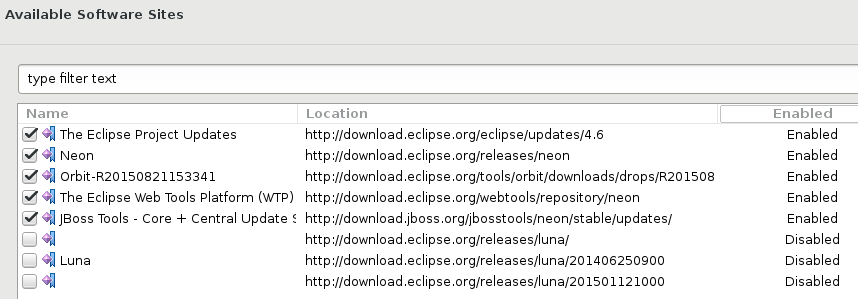
2. Window > Preferences > Install/Update > Available Software Sites > disable the Luna sites, as they're hella slow.
https://issues.jboss.org/secure/attachment/12409563/12409563_jbt4.4.1_on_...
3. Help > Eclipse Marketplace... > Search for "jboss" and install Red Hat JBoss Developer Studio 10.1.0.GA
4. Remediation needed:
{code}
{code}
> Cannot install Devstudio 10.1.0.GA into Eclipse Neon.1 RC3 (remediation required)
> ---------------------------------------------------------------------------------
>
> Key: JBIDE-23164
> URL: https://issues.jboss.org/browse/JBIDE-23164
> Project: Tools (JBoss Tools)
> Issue Type: Bug
> Components: target-platform, updatesite, upstream, webservices
> Affects Versions: 4.4.1.Final
> Reporter: Nick Boldt
> Assignee: Nick Boldt
> Attachments: ds10.1_on_neon.1.RC3_remediation_needed.png
>
>
> Steps to repro:
> 1. Download eclipse-jee-neon-1-RC3-linux-gtk-x86_64.tar.gz, unpack and run
> 2. Help > Eclipse Marketplace... > Search for "jboss" and install Red Hat JBoss Developer Studio 10.1.0.GA
> 3. Remediation needed:
> {code}Cannot complete the install because of a conflicting dependency.
> Software being installed: Red Hat JBoss Developer Studio (Core Features) 10.1.0.v20160902-1725 (com.jboss.devstudio.core.feature.feature.group 10.1.0.v20160902-1725)
> Software currently installed: JavaScript Development Tools 2.0.0.v201608301904 (org.eclipse.wst.jsdt.feature.feature.group 2.0.0.v201608301904)
> Only one of the following can be installed at once:
> JavaScript Development Tools Core 2.0.0.v201603171403 (org.eclipse.wst.jsdt.core 2.0.0.v201603171403)
> JavaScript Development Tools Core 1.3.401.v201511181529 (org.eclipse.wst.jsdt.core 1.3.401.v201511181529)
> JavaScript Development Tools Core 2.0.0.v201608251059 (org.eclipse.wst.jsdt.core 2.0.0.v201608251059)
> JavaScript Development Tools Core 2.0.0.v201604281930 (org.eclipse.wst.jsdt.core 2.0.0.v201604281930)
> JavaScript Development Tools Core 2.0.0.v201605251700 (org.eclipse.wst.jsdt.core 2.0.0.v201605251700)
> Cannot satisfy dependency:
> From: Red Hat JBoss Developer Studio (Core Features) 10.1.0.v20160902-1725 (com.jboss.devstudio.core.feature.feature.group 10.1.0.v20160902-1725)
> To: com.jboss.devstudio.core.rpm.feature.feature.group [10.1.0.v20160902-1725]
> Cannot satisfy dependency:
> From: Red Hat JBoss Developer Studio (RPM Features) 10.1.0.v20160902-1725 (com.jboss.devstudio.core.rpm.feature.feature.group 10.1.0.v20160902-1725)
> To: org.eclipse.wst.jsdt.feature.feature.group [2.0.0.v201605311817]
> Cannot satisfy dependency:
> From: JavaScript Development Tools 2.0.0.v201605311817 (org.eclipse.wst.jsdt.feature.feature.group 2.0.0.v201605311817)
> To: org.eclipse.wst.jsdt.core [2.0.0.v201605251700]
> Cannot satisfy dependency:
> From: JavaScript Development Tools 2.0.0.v201608301904 (org.eclipse.wst.jsdt.feature.feature.group 2.0.0.v201608301904)
> To: org.eclipse.wst.jsdt.core [2.0.0.v201608251059]
> {code} -- [^ds10.1_on_neon.1.RC3_remediation_needed.png]
--
This message was sent by Atlassian JIRA
(v6.4.11#64026)
9 years, 11 months