
9:55 a.m.
Brian Fitzpatrick [http://community.jboss.org/people/bfitzpat] modified the blog post:
"Testing Web Services..."
To view the blog post, visit:
http://community.jboss.org/community/jbosstools/blog/2010/05/26/testing-w...
--------------------------------------------------------------
Hey there...
In the Eclipse world as I've learned more about web services, I've found it
interesting to see the areas that have needed some work. For example, though you have a
TCP/IP monitor in Eclipse WTP and a Web Services Explorer that allow you to test deployed
web services in a UDDI v2 registry and keep track of the HTML headers as well as your
request and response SOAP calls.
But it doesn't handle UDDI v3 registries and didn't seem to handle RESTful web
services, so I started tinkering...
The first result of that tinkering is a new Web Service Tester (WST) that works with
JAX-WS and JAX-RS web services and integrates with the TCP/IP monitor for more detailed
call information. It's not the prettiest thing in the world, but it works. :)
Here's an example of how it works...
Let's say there's a public web service out "there" in the vast expanses
of the web that you want to call. In this case, it's to do a search for relevant lines
from Shakespeare's plays. And it's a JAX-WS service.
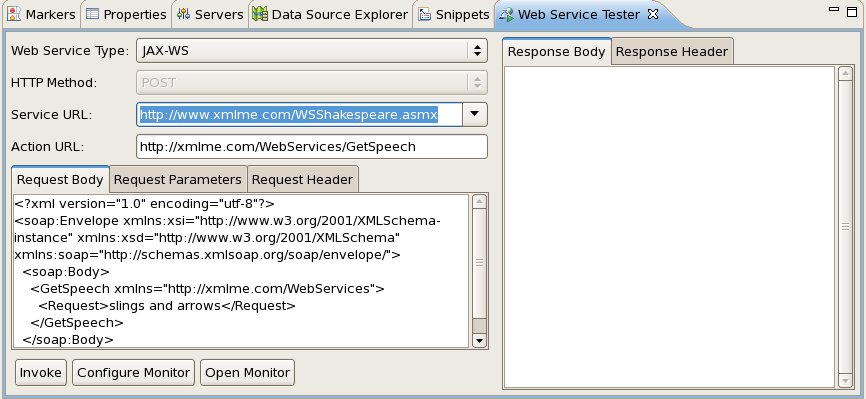
To invoke the service using the WST, you need to know three things at this point (and
hopefully this will improve over time).
1. The Endpoint URI. In this case it's: http://www.xmlme.com/WSShakespeare.asmx
http://www.xmlme.com/WSShakespeare.asmx
2. The Action URI. In this case it's: http://xmlme.com/WebServices/GetSpeech
http://xmlme.com/WebServices/GetSpeech
3. And the form the SOAP should take...
Sample SOAP in this case looks like:
<?xml version="1.0" encoding="utf-8"?>
<soap:Envelope xmlns:xsi="http://www.w3.org/2001/XMLSchema-instance"
xmlns:xsd="http://www.w3.org/2001/XMLSchema"
xmlns:soap="http://schemas.xmlsoap.org/soap/envelope/">
<soap:Body>
<GetSpeech xmlns="http://xmlme.com/WebServices">
<Request>slings and arrows</Request>
</GetSpeech>
</soap:Body>
</soap:Envelope>
So we copy these bits into the WST...
http://community.jboss.org/servlet/JiveServlet/showImage/38-1787-3052/wst...
http://community.jboss.org/servlet/JiveServlet/downloadImage/38-1787-3052...
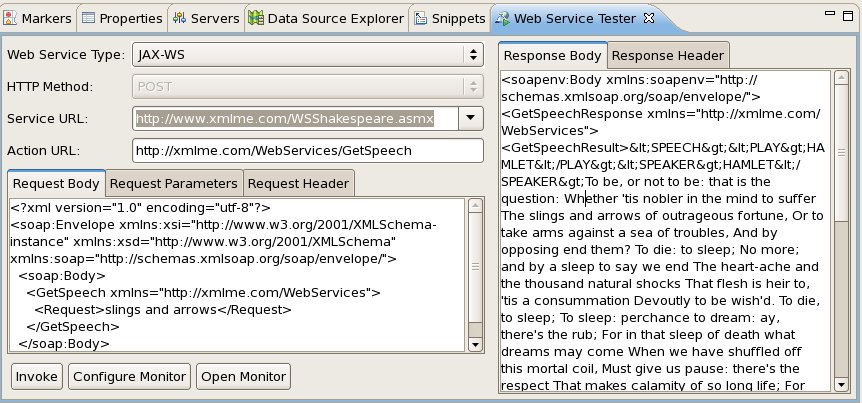
Hit the Invoke button and in the "Response Body" tab you can see the response
that comes back from Shakespeare's +Hamlet+....
http://community.jboss.org/servlet/JiveServlet/showImage/38-1787-3053/wst...
http://community.jboss.org/servlet/JiveServlet/downloadImage/38-1787-3053...
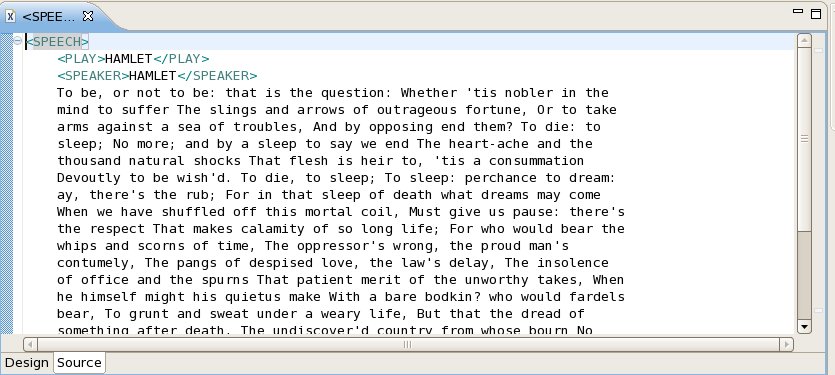
You can open the entire response in the XML Editor from the popup menu. And if the
response is a traditional SOAP envelope, you can open just the text from the operation
"Result" in the XML Editor, which simplifies things and gets rid of the
extraneous SOAP bits.
http://community.jboss.org/servlet/JiveServlet/showImage/38-1787-3055/wst...
http://community.jboss.org/servlet/JiveServlet/downloadImage/38-1787-3055...
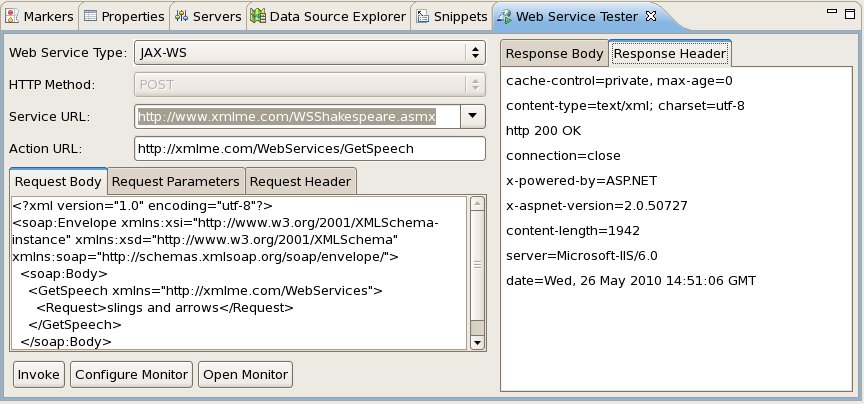
And in the "Response Header" tab you can see the HTTP header information that
came back from the WS invocation...
http://community.jboss.org/servlet/JiveServlet/showImage/38-1787-3054/wst...
http://community.jboss.org/servlet/JiveServlet/downloadImage/38-1787-3054...
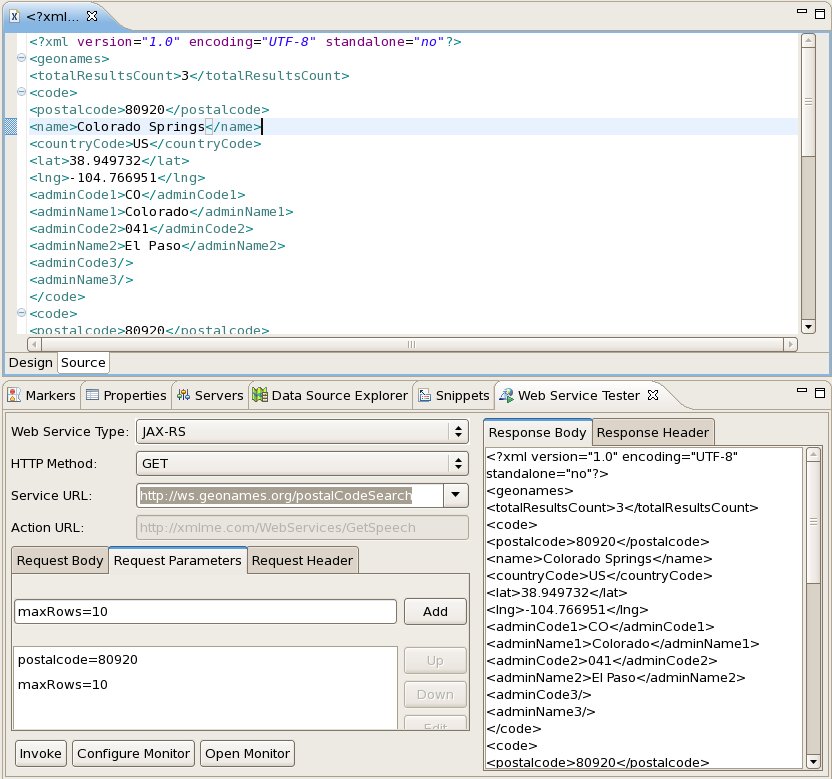
Same rules apply for RESTful (JAX-RS) service invocation... In this case, we're
invoking a public JAX-RS service to retrieve a list of postal data...
http://community.jboss.org/servlet/JiveServlet/showImage/38-1787-3056/wst...
http://community.jboss.org/servlet/JiveServlet/downloadImage/38-1787-3056...
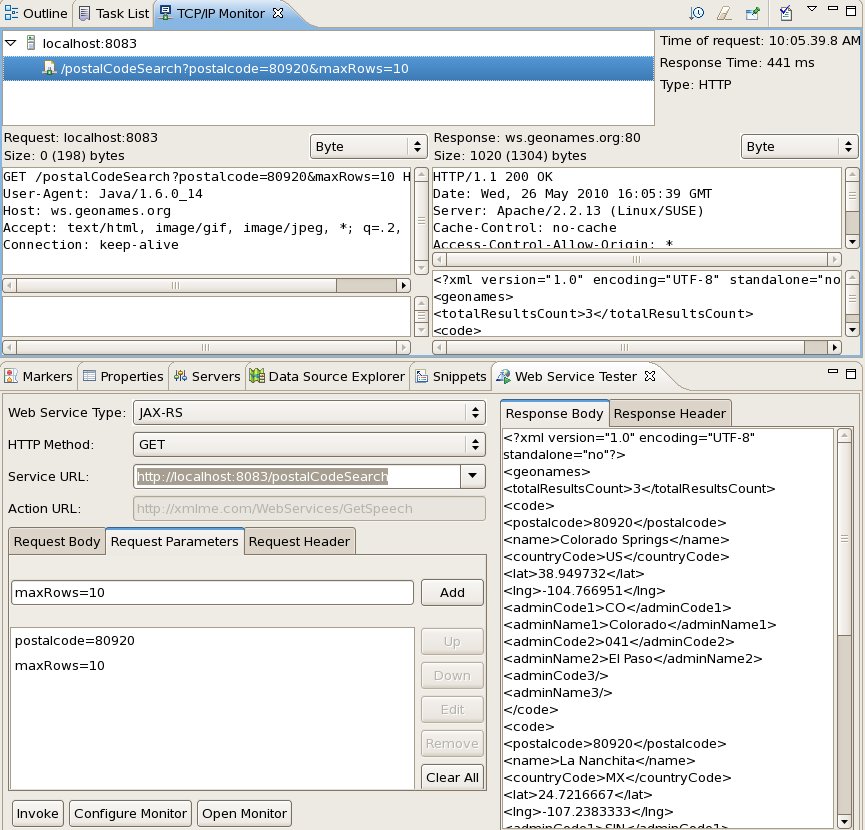
In addition, if you want more fine-grained TCP/IP monitoring, you can hook into the WTP
TCP/IP Monitor view as well.
In this example, I've configured a monitor for the RESTful service we just invoked.
That basically creates a proxy that the TCP/IP monitor listens to and captures the data
from. Though you get the header info and can see the results in the tester itself,
it's nice to see the time the invocation takes and hook into a more traditional
monitoring tool.
http://community.jboss.org/servlet/JiveServlet/showImage/38-1787-3057/wst...
http://community.jboss.org/servlet/JiveServlet/downloadImage/38-1787-3057...
The next thing to do is hook up the tester so it can infer details from a WSDL file and
possibly even browse a UDDI repository for details.
Let me know what you think! I'd be curious what features you'd like to see in this
thing. The idea isn't that the tester competes with more fully featured tools like
soapUI, but provides a quick tester inside JBoss Tools or JBDS to help out web service
developers.
--Fitz
--------------------------------------------------------------
Comment by going to Community
[http://community.jboss.org/community/jbosstools/blog/2010/05/26/testing-w...]






5876
days inactive
5876
days old
0 comments
1 participants
participants (1)
-
 Brian Fitzpatrick