[JBoss Tools] Document updated/added: "JBDSFAQ"
by Max Andersen
User development,
The document "JBDSFAQ", was updated Jan 20, 2010
by Max Andersen.
To view the document, visit:
http://community.jboss.org/docs/DOC-11753#cf
Document:
--------------------------------------------------------------
If you find some issue with JBoss Developer Studio and you don't know if it is a bug then post it on this http://jboss.com/index.html?module=bb&op=viewtopic&t=116253&start=0 and we will let you know.
If you are told it is a bug or missing feature then we would like you to report it in our jira.
The JBoss Tools jira is for anything related to the functionallity provided by JBoss Tools:
http://jira.jboss.com/jira/browse/JBIDE
The JBDS specific one is for issues related to the installer, branding and any 3rd party bundles we include:
http://jira.jboss.com/jira/browse/RHDS
If in doubt then put an issue in JBoss Tools JIRA and we will move it if necessary.
-
----
*Q : Our current JBoss corporate standard is 4.0.5. Is it possible to use RHDS with JBoss 4.0.5 instead of Jboss 4.2?*
*A* : RHDS is bundled with JBoss EAP 4.2 which includes Seam 1.2.1.EAP. (which is basically Seam 1.2.1.GA plus changes needed to make it run on JBoss 4.2)
And to use another Seam just use another home directory - we just don't guarantee anything anymore (report issues in jira if you find something that is broken you think should be working)
*Q : I already have a working Eclipse 3.3 & JBoss AS 4.2.1 Installation so I would like to additionally install JBDS from an update site so I don't have to bother with it and get the newest release whenever I want. But where is that update site?*
*A* : We don't yet have an update site for JBoss Developer Studio. This is because we are doing a lot of work to test and certify the integration between the tools and the bundled JBoss Enterprise Application Platform. When we update JBoss Developer Studio, we will be updating both the runtime bits and the associated tooling at the same time in order to provide a quality development environment. Unfortunately, an Eclipse Update site doesn't allow for this kind of update.
*Q : Can I use Seam 2 instead of the bundled one?*
*A* : Read http://www.jboss.com/index.html?module=bb&op=viewtopic&t=116885.
*Q : I'm evaluating JBoss Developer Studio for a project, and I'm trying to figure out the relationship it has with Eclipse. Does it replace Eclipse?*
*A* : The additional "feature" of JBoss is that it bundles JBoss EAP 4.2 and Seam 1.2 EAP preconfigured and ready to work out-of-the-box with an Eclipse 3.3/WTP 2.0 + selected JBoss Tools plugins.
--------------------------------------------------------------
16 years, 7 months
[JBoss Tools] Document updated/added: "PortletFacetLibraries"
by Max Andersen
User development,
The document "PortletFacetLibraries", was updated Jan 20, 2010
by Max Andersen.
To view the document, visit:
http://community.jboss.org/docs/DOC-14129#cf
Document:
--------------------------------------------------------------
h3. Portlet Libraries
Portlet Libraries engine has been changed to use WTP 3.1 Library Framework - https://bugs.eclipse.org/bugs/show_bug.cgi?id=246448 WTP 3.1 Library framework is implemented in Portlet Core and in the JSF Portlet installation page.
It is possible to choose the following library providers :
h5. *Library provider contributed by WTP*
h6. User Library
The user can create the standard JDT user libraries and add them to the project's classpath. The user can also add these libraries to the deployed application.
h6. Library provided by Target Runtime
The user would choose this library provider when the Server Runtime provides libraries that are required by some facet. JBoss Tools server runtime responds as capable of providing libraries for every facet, but it doesn't provide libraries required by Portlet Core facet and JSF portlet facet which is a bug in the JBoss Tools implementation of the server runtime. The problem is in the ProjectRuntimeClasspathProvider class. This provider wouldn't need to appear in the list of library providers of these two facets.
h6. Disable Library Configuration
The user can skip adding portlet libraries.
h5. *Portlet Core Facet library providers contributed by JBoss Tools*
h6. Portlet Target Runtime Provider
JBoss Tools recognizes if the server (Tomcat or JBoss Portal server) contains Portlet API library and offers to configure it.
h6. Maven Portlet 1.0/2.0 Libraries
This provider appears when existing the JBoss Maven Integration facet. If the user chooses this provider, JBoss Tools will add Portlet API as a dependency to the pom.xml.
h5. *JSF Portlet Facet library providers contributed by JBoss Tools*
h6. JSF Portletbridge Runtime provider
If the user selects this provider, it is necessary to enter the home of the portletbridge distribution. JBoss Tools will add the portletbridge libraries from the portletbridge distribution.
The user can add the richfaces libraries from the portletbridge distribution or from the richfaces distribution. If the user chooses adding libraries from the richfaces distribution, he has to enter the home of the richfaces distribution.
h6. JSF Portlet Target Runtime Provider
JBoss Tools recognizes if the server runtime (JBoss EPP or JBoss Portal server) contains the portletbridge libraries and shows this provider. It is also possible to add the richfaces libraries from the richfaces distribution.
h6. Maven Portletbridge 2.0.0 ALPHA Libraries
This provider is present if there is the JBoss Maven Integration facet. JBoss Tools offers the portletbridge-api and portletbridge-impl 2.0.0.ALPHA dependencies, but user can change/add/remove dependencies.
h6. Maven Portletbridge 2.0.0 ALPHA Libraries with dependencies
This provider is present if there is the JBoss Maven Integration facet. JBoss Tools adds the portletbridge dependencies and the required dependencies (richfaces, commons ...).
h5. *Adding a new Maven Library Provider*
In order to add a new Maven Library Provider, it is necessary to do the following:
* create a pom template that can contain Maven dependencies, repositories, plugins and/or properties
* create the maven-library-provider ext. point that uses this pom template as follows:
<extension point="org.eclipse.jst.common.project.facet.core.libraryProviders">
<provider id="portletbridge200alphadep-maven-library-provider" extends="maven-library-provider">
<label>Maven Portletbridge 2.0.0 ALPHA Libraries with Dependencies</label>
<span name="template" value="platform:/plugin/org.jboss.tools.maven.core/poms/portletbridge-template200alphadep.xml"class="mceItemParam"></span>
<enablement>
<and>
<with variable="projectFacets">
<test property="org.jboss.tools.maven.core.projectFacets" value="jboss.jsfportlet,jboss.m2" forcePluginActivation="true"/>
</with>
<with variable="requestingProjectFacet">
<test property="org.eclipse.wst.common.project.facet.core.projectFacet" value="jboss.jsfportlet:1.0" forcePluginActivation="true"/>
</with>
</and>
</enablement>
</provider>
</extension>
--------------------------------------------------------------
16 years, 7 months
[JBoss Tools] Document updated/added: "New KB plug-in and Code Assist in JBoss Tools 3.1.0.M3"
by Max Andersen
User development,
The document "New KB plug-in and Code Assist in JBoss Tools 3.1.0.M3", was updated Jan 20, 2010
by Max Andersen.
To view the document, visit:
http://community.jboss.org/docs/DOC-14027#cf
Document:
--------------------------------------------------------------
Since JBoss Tools 3.1.0 M3 there is a new KB plug-in which is responsible for providing information about JSF components. This information is used by Code Assist, Validators, DnD dialogs, etc in JSP/XHTML editors.
*1. Types of resources that used to provide information about components.*
+- TLDs
- Facelet libs.
- faces-config.xml's
- KB custom schemas.+
This list could be extended by adding new resource types.
*1.1. TLD Resources.*
TLD is the most useful resource for KB plug-in. There is info about tag names and attributes in particular component library. Code assist provides proposals for tag/attributes names which are picked from TLDs.
*1.2. Facelet libs.*
Facelet libs is not as useful as TLD because the is not any info about tag attributes. But in case there is only Facelet lib in class path without corresponded TLD we will able to provide tag names at least.
*1.3 faces-config.xml's*
If faces config file contains info about possible facet names for particular component we will pick this info there.
*1.4 KB custom schemas.*
TLD/Facelet libs/faces-config.xml is not enough to provide Code assist for attributes values. So we use custom XMLs to describe meta information for possible types of proposals for attribute values.
+Here is an example of custom KB schema:+
<tag-lib>
<component name="extendedDataTable">
<attribute name="align">
<proposal type="enumeration">
<param value="left" />
<param value="center" />
<param value="right" />
</proposal>
</attribute>
</component>
<component closeTag="true" name="graphicImage">
<attribute name="url">
<proposal type="file">
<param name="extensions" value="%image%" />
</proposal>
</attribute>
</component>
<component-extension>
<attribute name="reRender">
<proposal type="id"/>
</attribute>
<attribute name="for">
<proposal type="id"/>
</attribute>
</component-extension>
</tag-lib>
+<component>+ tag describes a JSF component.
By default KB plug-in uses info from this tag only if such tag or attribute are described in corresponding TLD or Faces lib. So there is not any need to keep a schema synchronized with TLD. Meta info from a schema supplements TLD/Faces lib. If a schema is the only source where the tag/attribute is described then this tag/attribute info will be ignored by KB. If we want to add some tag/attribute anyway, even if TLD knows nothing about them, we can use +extended="false"+ attribute.
+<component-extension++>+ is used to describes proposal types for particular attributes of any component if such attribute described in corresponded TLD.
In example above we added meta info for all attributes with name "for" and "reRender" of the component library.
For example in editor it will works as: +<any_tag_name_within_lib for="we will propos all component IDs available here" />+
If we want to add proposal types for attributes for all component libs we have some special XML - componentExtension.xml:
<component-extension>
<attribute name="action">
<proposal type="view-actions" />
</attribute>
<attribute name="immediate">
<proposal type="enumeration">
<param value="true" />
<param value="false" />
</proposal>
</attribute>
<attribute name="rendered">
<proposal type="enumeration">
<param value="true" />
<param value="false" />
</proposal>
</attribute>
</component-extension>
Here is a list of possible proposal types for attributes:
+*bundleName*+ - Names of message resource bundles which are available in JSF project (e.g. <f:loadBundle basename="..." />)
+*viewActions*+ - JSF Actions from faces-config.xml (e.g. <h:commandBundle action="..." />)
+*file*+ - Path to a resource. E.g. following proposal type is used in <h:commandButton image="..."/>:
<attribute name="image">
<proposal type="file">
<param name="extensions" value="%image%" /> <!-- *%image%* for "gif", "jpeg", "jpg", "png", "wbmp", "bmp". And *%page%* for "jsp", "htm", "html", "xhtml", "xml" -->
<param name="pathType" value="absolute" /> <!-- *absolute* means relative to WebContent and starts with "/". *relative* means relative to the page -->
</proposal>
</attribute>
+*enumeration*+ - A list of strings. For example
<attribute name="rendered">
<proposal type="enumeration">
<param value="true" />
<param value="false" />
</proposal>
</attribute>
+*faceletsJsfCTags*+ - Used to propos a list of available JSF components for *jsfc* attributes in facelet pages. (e.g. <input jsfc="h:commandButton" />)
+*id*+ - Component ID within the page. (e.g. <a4j:commandButton reRender="...">)
+*converterID*+ - Converter ID
+*validatorID*+ - Validator ID
For more details about KB schema format see https://anonsvn.jboss.org/repos/jbosstools/trunk/jst/plugins/org.jboss.to...
Custom schemas are added to KB plug-in by extension point org.jboss.tools.jst.web.kb.tagLib
+For example plugin.xml:+
<extension
point="org.jboss.tools.jst.web.kb.tagLib">
<tag-lib
location="taglibs/Richfaces.xml"
name="JBoss RichFaces"
uri="http://richfaces.org/rich"/>
<tag-lib
location="taglibs/JBossSeam.xml"
name="JBoss Seam"
uri="http://jboss.com/products/seam/taglib"/>
<component-extension
location="taglibs/componentExtension.xml"/>
</extension>
</plugin>
*2. KB Builder.*
KB builder is used to pick up KB resources (TLD/Facelets/...) from a project. If there is a resource in class path then it will be loaded and added to KB model. It's important change from previous version of JBoss Tools.
Old projects which was created by previous JBoss Tools don't have such builder. Imported projects may not have it as well.
JBoss tools checks if there is not KB builder in a project when user invokes Code assist first time.
In this case KB model is built in background thread and stays in static state until the KB-builder is installed and invoked.
A warning about missing KB builder with a quick fix is added to the project as well. So user can fix the problem by couple of clicks.
See https://jira.jboss.org/jira/browse/JBIDE-4762 for details.
Also user can add KB builder/nature in .project manually. See http://www.jboss.org/index.html?module=bb&op=viewtopic&p=4247996#4247996
All our wizards which create projects or add seam/jsf support to a project, add KB builder automatically.
Not all information about tags/attributes which is used in Code Assist picked up by KB builder. KB custom schemas worked without project builders because they don't depend on particular project. So if a project doesn't have KB builder installed then Code assist will show proposals from custom schemas anyway. For example HTML tags/attributes or <ui:* tags from facelets lib will work in JBoss Tools XHTML editor for any projects.
*3. EL resolvers.*
We use system of EL resolvers to provide Code assist for EL in jsp/xhtml editors. Each EL is pluged in by extension point org.jboss.tools.common.el.core.elResolver and should implement org.jboss.tools.common.el.core.resolver.ELResolver interface.
+For example:+
<extension
point="org.jboss.tools.common.el.core.elResolver">
<el-resolver id="seamELResolver">
<project-nature id="org.jboss.tools.seam.core.seamnature"
resolver-class="org.jboss.tools.seam.internal.core.el.SeamELCompletionEngine"/>
</el-resolver>
<el-resolver id="customELResolver">
<factory class="org.jboss.tools.customELResolverfactory"/>
</el-resolver>
</extension>
--------------------------------------------------------------
16 years, 7 months
[JBoss Tools] Document updated/added: "Matrix of supported platforms, runtimes and technologies in JBossTools/JBDS"
by Max Andersen
User development,
The document "Matrix of supported platforms, runtimes and technologies in JBossTools/JBDS", was updated Jan 20, 2010
by Max Andersen.
To view the document, visit:
http://community.jboss.org/docs/DOC-14297#cf
Document:
--------------------------------------------------------------
The following matrix explains what versions of platforms, runtimes and technologies are supported by what versions of JBoss Tools/JBDS.
|| Eclipse || JBoss Tools || JBDS || EAP || AS || Seam || JSF || RichFaces (the latest supported version) ||
| 3.5/Galileo | 3.1.0 | 3.0.0 | 4.3, 5.0 | 5.1, 5.0, 4.2, 4.0, 3.2 | 2.2, 2.1, 2.0, 1.2 | 2.0 (in VPE), 1.2, 1.1 | 3.3.x |
| 3.4.2/Ganymede | 3.0.x | 2.1.0 | 4.3, 5.0 | 5.0, 4.2, 4.0, 3.2 | 2.2, 2.1, 2.0, 1.2 | 1.2, 1.1 | 3.3.1 |
| 3.3.2/Europa | 2.1.2 | 1.1.0 | 4.3 | 5.0, 4.2, 4.0, 3.2 | 2.0, 1.2 | 1.2, 1.1 | 3.3.0 |
| 3.3.1.1/Europa | 2.0.1 | 1.0.0 | 4.2 | 4.2, 4.0, 3.2 | 2.0, 1.2 | 1.2, 1.1 | 3.1.0 |
--------------------------------------------------------------
16 years, 7 months
[JBoss Tools] Document updated/added: "Use SOA-P with JBoss Tools and Developer Studio"
by Max Andersen
User development,
The document "Use SOA-P with JBoss Tools and Developer Studio", was updated Jan 20, 2010
by Max Andersen.
To view the document, visit:
http://community.jboss.org/docs/DOC-12921#cf
Document:
--------------------------------------------------------------
If you use JBoss Tools 3 beta or JBDS 2 beta SOA-P can be used side-by-side with any existing AS or EAP.
For now there is no automatic configuration of SOA-P out-of-the-box, but that will come in later versions.
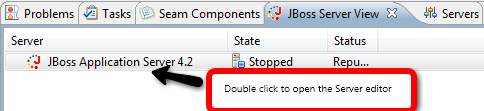
For now the easiest thing to do is to install SOA-P and then in JBDS find the preinstalled EAP server
in the JBoss Server View and double click it to open the server view editor.
http://community.jboss.org/servlet/JiveServlet/showImage/102-12921-2-1040...
Once in the server editor update the two fields for Deploy Directory and Temporary Deploy direcotry; it
is sufficient to change the prefix used for the SOA-P install since the EAP directory structure resembles
SOA-P.
http://community.jboss.org/servlet/JiveServlet/showImage/102-12921-2-1041...
It is also important to double click the Runtime Environment and set the SOA-P directory here too.
After this when you start and stop the server you will be using SOA-P instead of EAP.
N.B. This will be simpler and more automatic in the GA release !
h2. *Using SOA-P*
When you have the SOA-P server in place you can start working .esb projects very easily.
I've created a small http://screencast.com/t/VfW13GNPwm that shows how it works.
In the screencast I do the following:
1. New Project Example Wizard
2. Selects the Hello World ESB example
3. Waits a few seconds for the download
4. Deploys the .esb
5. Put a breakpoint in the message handler
6. Runs the testclient
7. Sees that the breakpoint gets hit and is debugging away.
See the screencast http://screencast.com/t/VfW13GNPwm
--------------------------------------------------------------
16 years, 7 months
[JBoss Tools] Document updated/added: "Code Assist in JBoss Tools XML and JSP/XHTML Editors"
by Max Andersen
User development,
The document "Code Assist in JBoss Tools XML and JSP/XHTML Editors", was updated Jan 20, 2010
by Max Andersen.
To view the document, visit:
http://community.jboss.org/docs/DOC-14120#cf
Document:
--------------------------------------------------------------
h2. Versions
The following description relays on JBoss Tools v. 3.1.0.GA and some known issues to implement described in JBoss JIRA for JBoss Tools project (https://jira.jboss.org/jira/browse/JBIDE).
h2. Important things to understand…
The Content Assistant (CA) in JBoss Tools XML and JSP/XHTML Editors is based and fully developed using the WST content assistant functionality. So, there are not many differences on what you see for CA between WST/JST Text Editors and the JBoss ones. The main difference is the content for CA: remember that JBoss Tools Editors CA uses the Knowledge Base plug-in to retrieve the information on the tags, attributes, attribute values and even Expression Language (EL) expressions to be proposed in the CA selector window (See http://www.jboss.org/community/wiki/NewKBplug-inandCodeAssistinJBossTools...).
The CA consists of a number of CA-processors; each is responsible to retrieve the information for the dedicated Content Type. Yet another CA-processor (used to be a compound CA-processor) collects the proposals from all the connected CA-processors, merges and sorts the collected proposals to pass the result to the CA. The standard WTP (WST or JST) CA-processors are also connected to this base CA-processor, so the WST CA proposals are also presented in the CA. Due to the JBoss Tools specifics the proposals collected by JBoss Tools CA-processors are more prioritized then the WST ones and in case of having more than one source for the same proposal, for example, the one came from JBoss Tools KB plug-in will be shown rather than the WTP's one.
The CA in JBoss Tools Text editors could be invoked in three ways:
* Manually, by pressing the Ctrl-Space key combination.
* Automatically, by typing one of the characters predefined in the CA-processors loaded for the Content Type of the document is being edited.
* Automatically, by applying one of the numerous kinds of CA-proposals.
The third way is another improvement. For example, when you are selected and applied some attribute proposal n the CA-selector window and if he selected attribute has some predefined values declared in the schema or TLD where it came from than a new CA-selector window will appear offering the possible attribute values to insert. This helps to accelerate the tags and values typing.
h2. Kinds of Proposals
Because of XML nature of all the documents which are to be edited by the JBoss Tools Text Editors the CA is to show the following types of proposals:
* Tags
* Tag names
* Attribute names
* Attribute values
* Expression Language (plain JSF or Jboss EL-expressions)
* Other kinds of specific proposals depending on the context
h2. Proposals for XML/JSP/XHTML Tags
To invoke CA for the XML/JSP/XHTML tags you could press Ctrl-Space while the cursor is placed in text outside of any existing tags or declarations:
Depending on the document Content Type the possible tags (among the other possible proposals) will be search and obtained from the KB-plug-in and shown in the CA selector window.
h2. Proposals for XML/JSP/XHTML Tag Names
There are two ways to invoke the CA:
* Manual: You could press the Ctrl-Space key combination while the cursor is placed in text in tag name region (between the "<"-character and the space separating the tag name from its first attribute).
* Automatic: You could type the "<"-character in text outside of any existing tags or declarations. In this case the CA for tag name proposals will be invoked automatically.
Depending on the document Content Type the possible tags (among the other possible proposals) will be search and obtained from the KB-plug-in and shown in the CA selector window.
h2. Using the Namespaces to propose tag names
*+[Was feature request: https://jira.jboss.org/jira/browse/JBIDE-4877 completion in xhtml should not require namespace to match on tag]+*
Depending for the Namespaces defined within the tag region visibility you may type "shortened" tag name (without a prefix) and then call the CA by pressing the Ctrl-Space key combination to be proposed with tag names filtered by typed part of tag name.
For example, if "h" prefix defined for tag library with URI "http://java.sun.com/jsf/html" in some rounding tag or in document root tag, you may type "<output" and press Ctrl-Space key combination to be proposed with the tags defined in JSF HTML library which names start with "output" word. If you select one of these tags in CA selector window then the text "output" will be replaced with a full name including prefix of the selected tag. I.e. if you select <h:outputText> tag in CA selector window the text "<output" (as described in the example above) will be replaced with the following text: "<h:outputText />".
*+[Was feature request: https://jira.jboss.org/jira/browse/JBIDE-5381 CA doen't work for elements which defined using default namespace]+*
You may choose default namespace to use within a document or a tag by specifying "xmlns" attribute value. In this case the specified library becomes a "default" schema for the content of the root tag, so the tags defined in the library have to be used without specifying any prefix. For example, you may specify a default schema in tag: "<body xmlns="http://java.sun.com/jsf/html">". In this case you have to use tags from specified library without a prefix:
<body xmlns="http://java.sun.com/jsf/html">
<f:view>
<outputText value="Default namespace detection test page" />
</f:view>
</body>
h2. Proposals for XML/JSP/XHTML Attribute Names
There are two ways to invoke the CA:
* Manual: You could place cursor into a text after a tag name region (but before the tag region ending) or into some attribute name region and then press the Ctrl-Space key combination.
* Automatic: For a numerous tags there are one or more required attributes defined in KB-plug-in. In case of you have selected and applied such kind of tag in the CA selector window a new CA will be invoked to show possible attribute names to be inserted.
Depending on the document Content Type the possible attribute names will be searched and obtained from the KB-plug-in and shown in the CA selector window. The text between the start of the attribute name and the cursor position will be used as a filter.
h2. Proposals for XML/JSP/XHTML Attribute Values
There are two ways to invoke the CA:
* Manual: You could place cursor into a text inside a value of some attribute and press Ctrl-Space key combination.
* Automatic: For a numerous tag attributes there are one or more predefined values defined in KB-plug-in or some kind of dynamic values are possible to use. In case of you have selected and applied such kind of tag attribute in the CA selector window a new CA will be invoked to show possible attribute values to be inserted.
In case of some value/part of value is entered the text between the attribute value start and the cursor position will be used as a filter.
h2. Proposals for XML/JSP/XHTML Expression Language (JSF and/or Seam EL-expressions)
Some Runtimes allow a user to use Expression Language inside the XML, JSP and XHTML pages. Depending on the Content Type of the page there are different regions where the EL-expressions can be used as:
* attribute values: in XML, JSP and XHTML files;
* part of text regions (Default Text): in XML and XHTML files.
The EL-expressions are to be surrounded either by "#{…}", or "${…}" character sequence. In case of absent EL closing character sequence it will be added to the text automatically after some of EL proposals is applied to the text.
There are two ways to invoke the CA:
* Manual: You could place cursor into a text inside a text between the EL opening and closing character sequences and then press Ctrl-Space key combination.
* Automatic: You could type one of the CA-auto start characters in inside the EL-expression (in a text or an attribute value region depending on the Content Type). The characters are ".", "[". In this case the CA for tag name proposals will be invoked automatically. Also the CA will be invoked automatically if you type the "{"-character right after the "$"-character or "#"-character.
h2. Other Kinds of Specific Proposals
There are some "utility" CA proposals shown in the CA depending on the Content Type and current context within the document due to help a user to support the document consistency. These are:
* The proposals for ending and closing for the tags have being edited.
* The proposals for insert a new empty EL-expression and to close the EL-expression have being edited (if it’s not closed yet).
These kinds of proposals are added to the CA-selector windows on its invocation by the CA-processors depending on the Content Type and current context.
h2. Known issues to implement
* https://jira.jboss.org/jira/browse/JBIDE-4946: Tool tip for tag/attributes in XHTML editor.
* https://jira.jboss.org/jira/browse/JBIDE-2318: Case Sensitive Code Completion in JSF page editor
* https://jira.jboss.org/jira/browse/JBIDE-3845: Code assist for #{messages['...']} should suggest properties when user types "[".
--------------------------------------------------------------
16 years, 7 months
[JBoss Tools] Document updated/added: "How Developers should use JBoss Tools JIRA "
by Max Andersen
User development,
The document "How Developers should use JBoss Tools JIRA ", was updated Jan 20, 2010
by Max Andersen.
To view the document, visit:
http://community.jboss.org/docs/DOC-12834#cf
Document:
--------------------------------------------------------------
JBoss Tools jira is located at https://jira.jboss.org/jira/browse/JBIDE and its related project JBoss Developer Studio has a jira at https://jira.jboss.org/jira/browse/JBDS
h1. Lifecycle of an issue
Overall the lifecycle of an issue that is supposed to be implemented (i.e. not rejected) the lifecycle is as follows:
1. Someone creates an issue
2. if it is a relevant issue a committer assigns it for a fix version
3. a committer fixes the issue and resolves the issue
4. during QA the issue gets
4.1. Closed or
4.2. Reopened if the issue is not fully resolved and then Goto #3
h2. Creation
Anyone can create an issue. When the issue is created it should as a minimum have:
* a *good summary* (selfexplanatory if possible)
* a *Component* to make it show up categorized instead of in the https://jira.jboss.org/jira/secure/IssueNavigator.jspa?reset=true&mode=hi... component which would make it hard to see which components has the most need for attention/workload. If you feel there is no matching component go to the devel list and suggest one.
* *Affects version* so we know which version to reproduce the issue in
* *Description* to allow us to reproduce the issue or understand what the feature is about. Attach projects, output from Help > Report problem, screenshots or even a http://www.jingproject.com/ to illustrate what you want to describe.
Assignment should not happen before you know for sure the committer is going to work on the issue.
h2. Assignment
Only committers/developers should assign the issue. Do not assign the issue to anyone unless that is yourself or you know for sure he or she is supposed to work on it. If all issues are assigned we cannot see which are unassigned and needs attention.
The one who assign should also make sure to set:
* the *Fix Version(s)* to indicate when it should be completed, without a Fix Version it will not show up in the https://jira.jboss.org/jira/browse/JBIDE?report=com.atlassian.jira.plugin... nor https://jira.jboss.org/jira/browse/JBIDE?report=com.atlassian.jira.plugin...
* the *Priority* should be set in context of the Fix Version, i.e. an issue can be trivial to implement but still be a Blocker if it is a must have feature or bug to have for the release.
h2. Discussions
*Keep description updated* - which means if issue has a discussion what actually should be done all this should be collected in description. That saves time for anyone who is working with this issue to understand what actually should be done and how to verify it. Last thing is useful for QA.
h2. Fixing/Resolving
When an issue gets fixed the developer should make sure to:
* *Add unittests*, any non-trival issue is not fixed and should not be committed before the unittest is there for it
* *List the JIRA URL* in the relevant commit(s) (e.g. https://jira.jboss.org/jira/browse/JBIDE-42 ) together with a short comment on what was done
* *Resolve* (not Close) the issue
* *Comment* on what was done, i.e. sometimes "Done" is fine but if something were done differently than initially discussed in the jira or one of multiple options were implemented state which one and if some new api/feature was introduced put an explanation on how to use it.
* *Write Test Cases/Scenarious* for QA and users with EXECUTE/ASSERT statements describing what should be tested manually to verify the testcase or *attach relevant screenshots* or *create screencast* to show new functionality.
* *Verify the Component and Fix Version* is correct, remember that if we have branched for doing a release and you fixed the issue in both branches set both related versions (i.e. 3.0.0.beta1 and 3.0.0.cr1), if you only fixed it in one branch/trunk make sure you select the correct version.
h2. QA/Closing/Reopen
During QA a committer or QA engineer verifies the issue following the description and/or EXECUTE/ASSERT instructions and if the issue is completed he should:
* *Verify the Component and Fix Version* is correct
* *Close* the issue
* *Comment* with which build/setup he verified it in
If the issue is not completed then
* *Reopen* the issue
* *Comment* what is not working
* *Assign* it back to the developer who resolved the issue
--------------------------------------------------------------
16 years, 7 months
[jBPM] New message: "Re: Problem Signaling a Waiting Execution"
by Ronald van Kuijk
User development,
A new message was posted in the thread "Problem Signaling a Waiting Execution":
http://community.jboss.org/message/521005#521005
Author : Ronald van Kuijk
Profile : http://community.jboss.org/people/kukeltje
Message:
--------------------------------------------------------------
@Andy,
Saraswati Santanu is right in suggesting a different approach. You have overcomplicated your solution and implemented, or tried implementing something in a way that is from what I know never done this way. None of the examples, testcases, tutorials etc suggest doing what you do. This makes me wonder if you have a background in a different workflow/bpm platform or if e.g. you have taken over a project from someone else.
What I'd suggest is to at least read some documentation on jBPM4, look at examples/testcases in the source to get a grip with what does what. Besides the suggestions of java 'tasks' maybe custom nodes are also interesting for you to use, but completely depending on what your usecase is. What realy is important is to see if you need everything to be synchronous like you have now, or that the external service you call is kind of long running (>more then several seconds) so you should use async functionality where the called service signals the process instance. So please think of your architecture first and implentation later.
Ronald
--------------------------------------------------------------
To reply to this message visit the message page: http://community.jboss.org/message/521005#521005
16 years, 7 months